The whole company in one place. With AI teammates that ask before they act.
Sales pipelines, sprint boards, client projects, wikis, dashboards and team passwords, side by side. Assign work to AI teammates like you would a colleague, watch it happen live, and approve anything they do outside TaskCrew.
The Sales pipeline template: deal values and close dates, a Lead Researcher on new deals, and reps who never see the dev board. See how →
Bring your work from
…and connect the tools you already use
Watch an AI teammate stop and ask.
A Lead Researcher reads the deal, searches the web and checks the CRM freely. The moment it wants to write to HubSpot, the run pauses and waits for you. Approve it or reject it, and see what happens.
- Reading is never blocked; changing things outside TaskCrew is
- You see the exact arguments, and they can’t be edited
- No answer within 30 minutes means no
- Every decision lands in the audit log
- Lead Researcher started workingAssigned by Sara · Start now
- Checking connectors and preparing toolsExa Web Search · HubSpot
- Lead Researcher wants to create note in HubSpotWaiting for your approval
Your company runs on a dozen apps that don’t talk to each other.
Every team picks its own tool. Work gets copied between them, passwords sit in a spreadsheet, and AI chatbots can’t see any of it. Tick what your team uses today.
- Task lists with 7 views, sprints and a Gantt
- Wikis with live co-editing and [[links]]
- Tables with 14 column types and 50,000 rows
- Forms whose answers become rows and tasks
- An encrypted vault with every reveal logged
- Goals that count themselves from your work
- Dashboards from a sentence, and AI-drafted updates
- Chat next to the work, with “make a task”
- AI teammates that already see the task and its files
- Timers, timesheets and billable hours
- Tick what your team uses today.
Keep the tools you love, too: 29 connectors let AI teammates work in Slack, HubSpot, GitHub, Xero and more, with your approval.
One workspace. Ten kinds of work.
Add what each project needs, and switch off what your company doesn’t use.
Plus chat, files, time tracking, sprints, automations and a calendar you can subscribe to.
Screenshots, not mockups.
Every picture below was captured from TaskCrew running today. Click through.
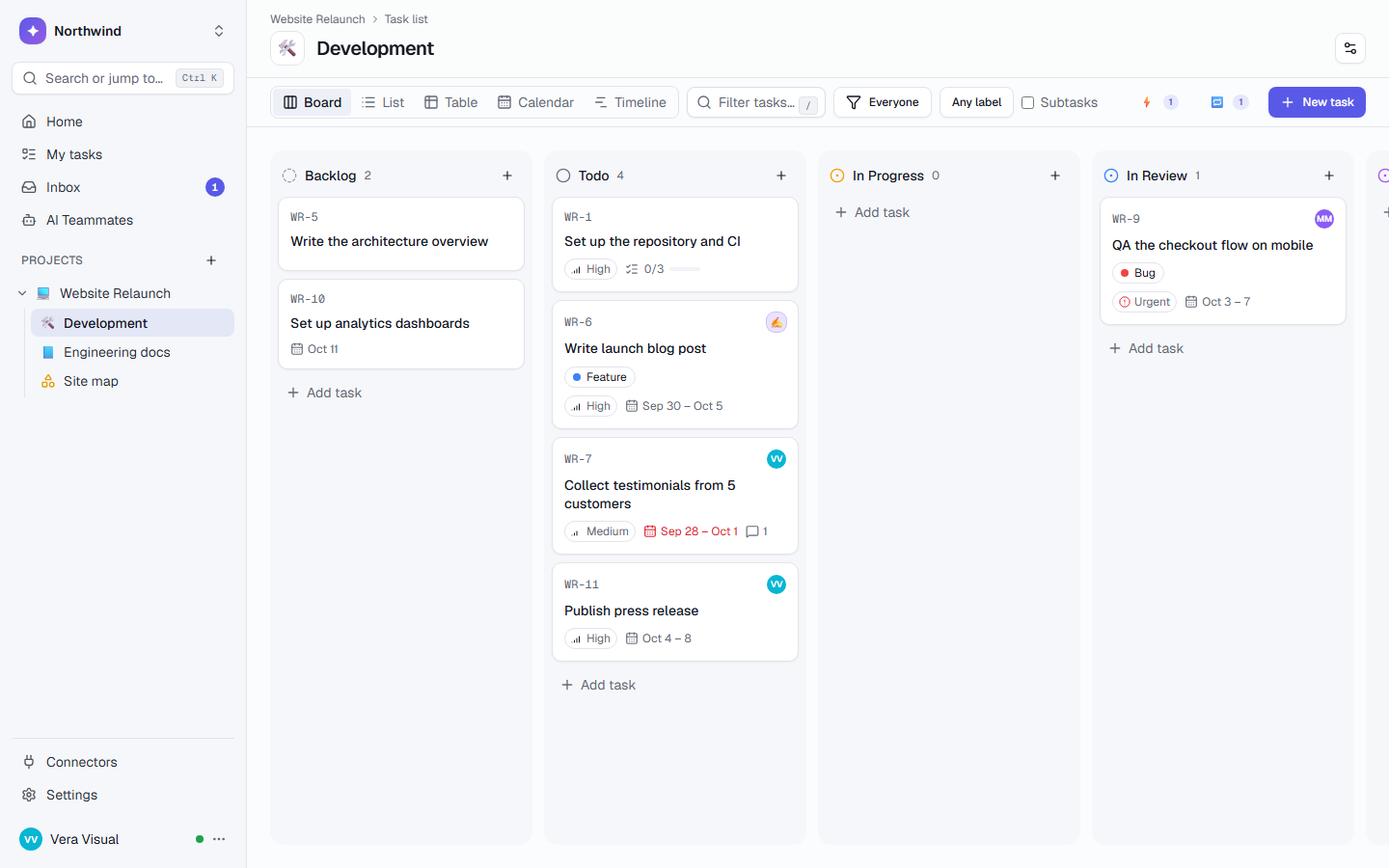
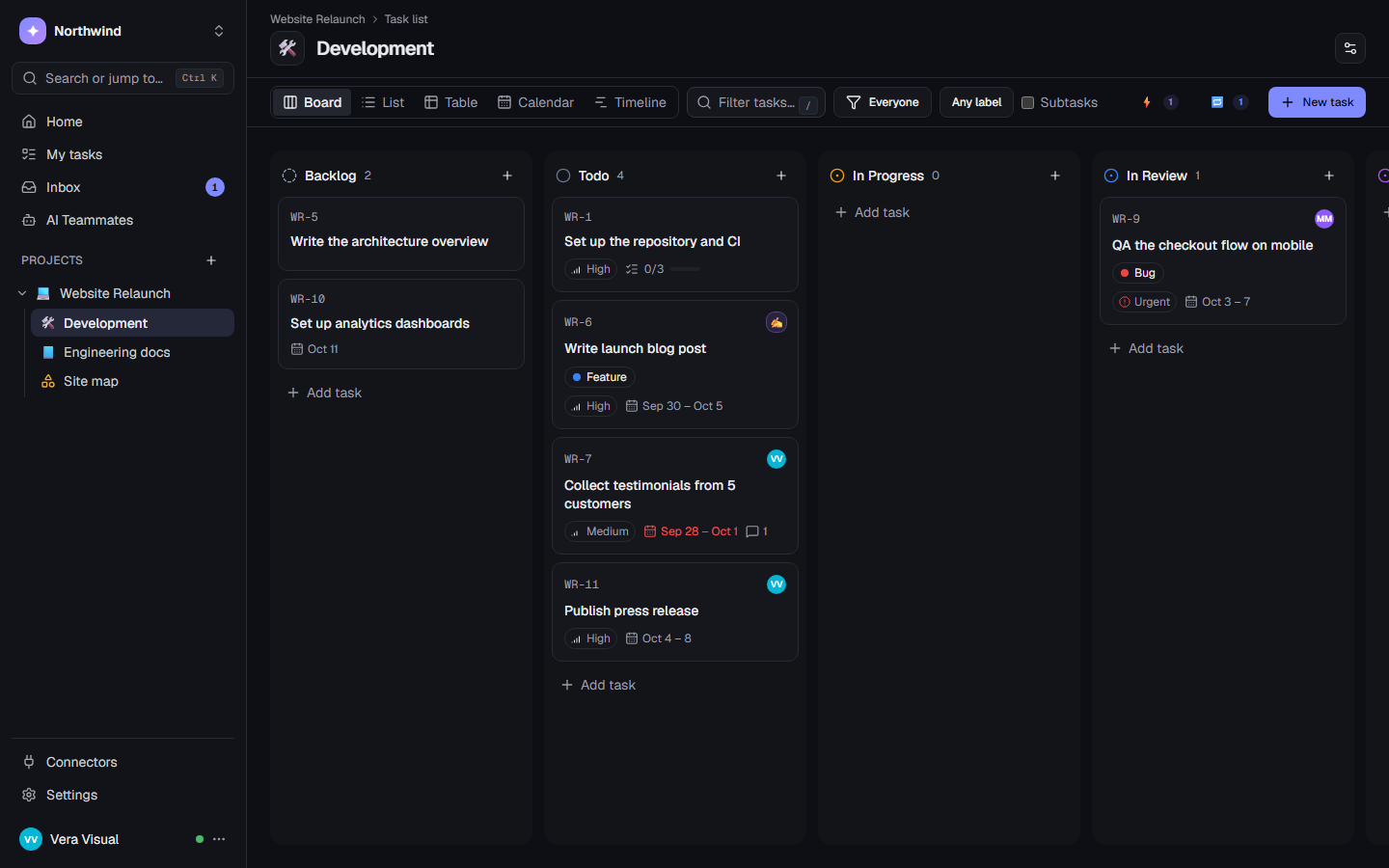
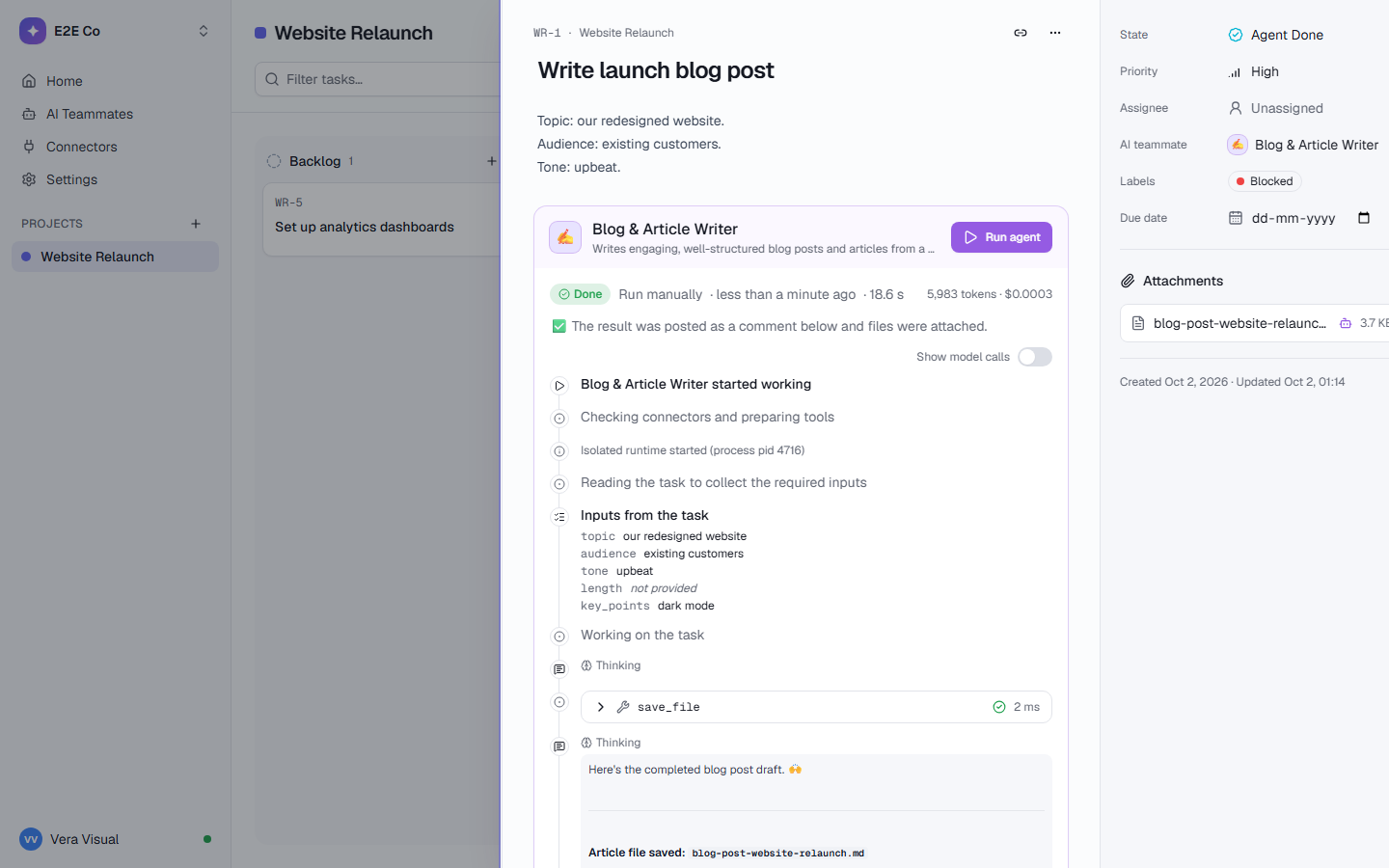
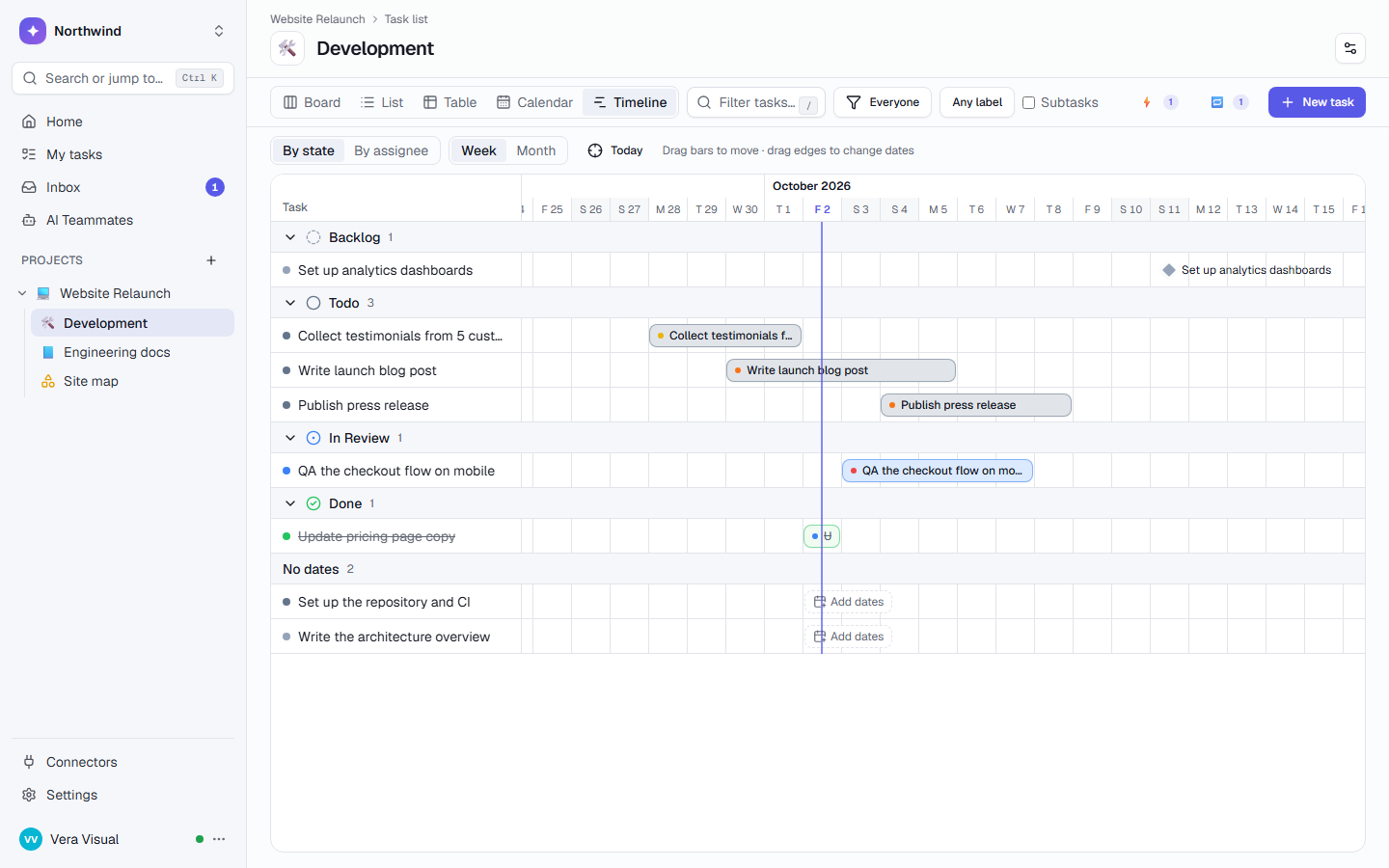
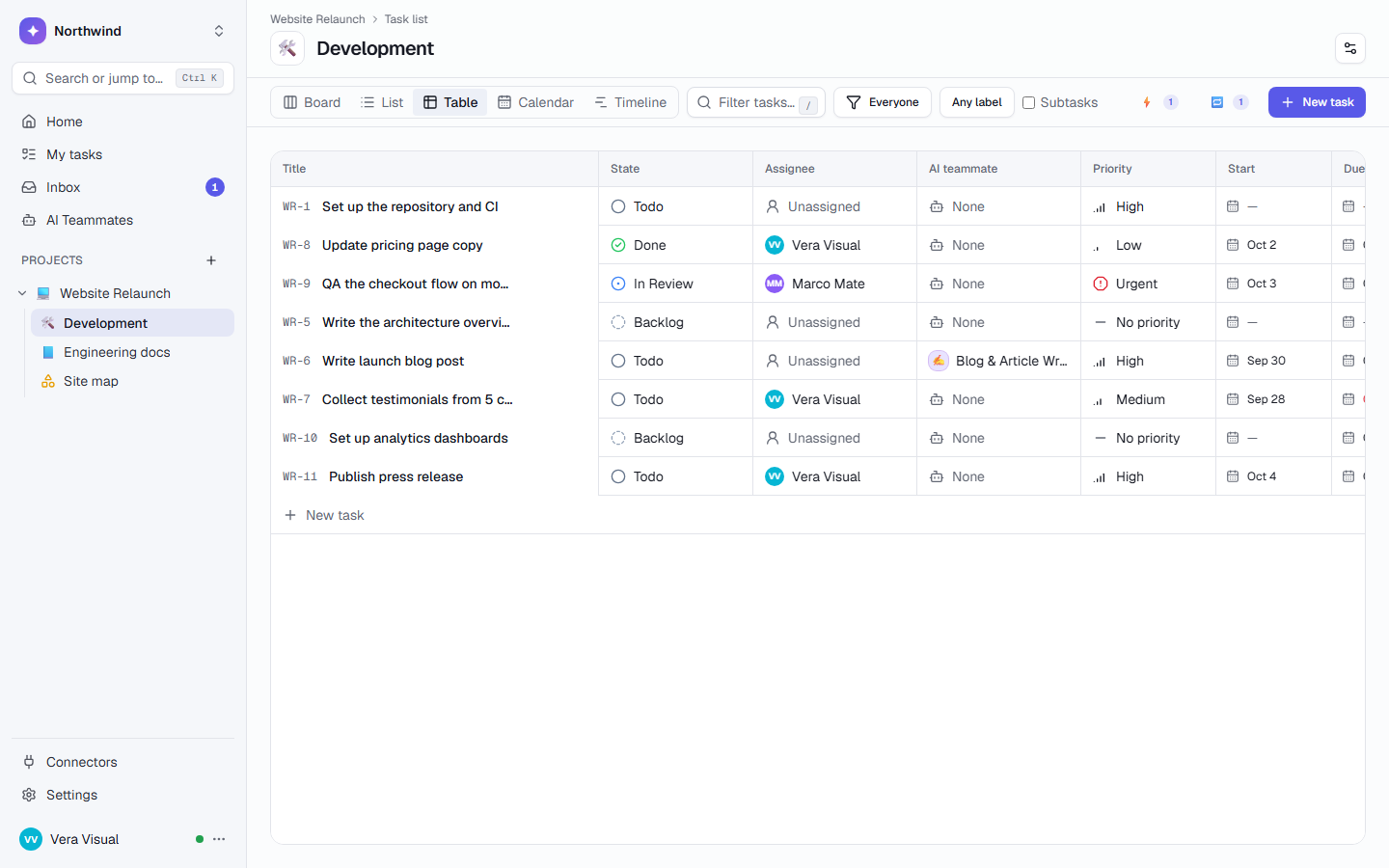
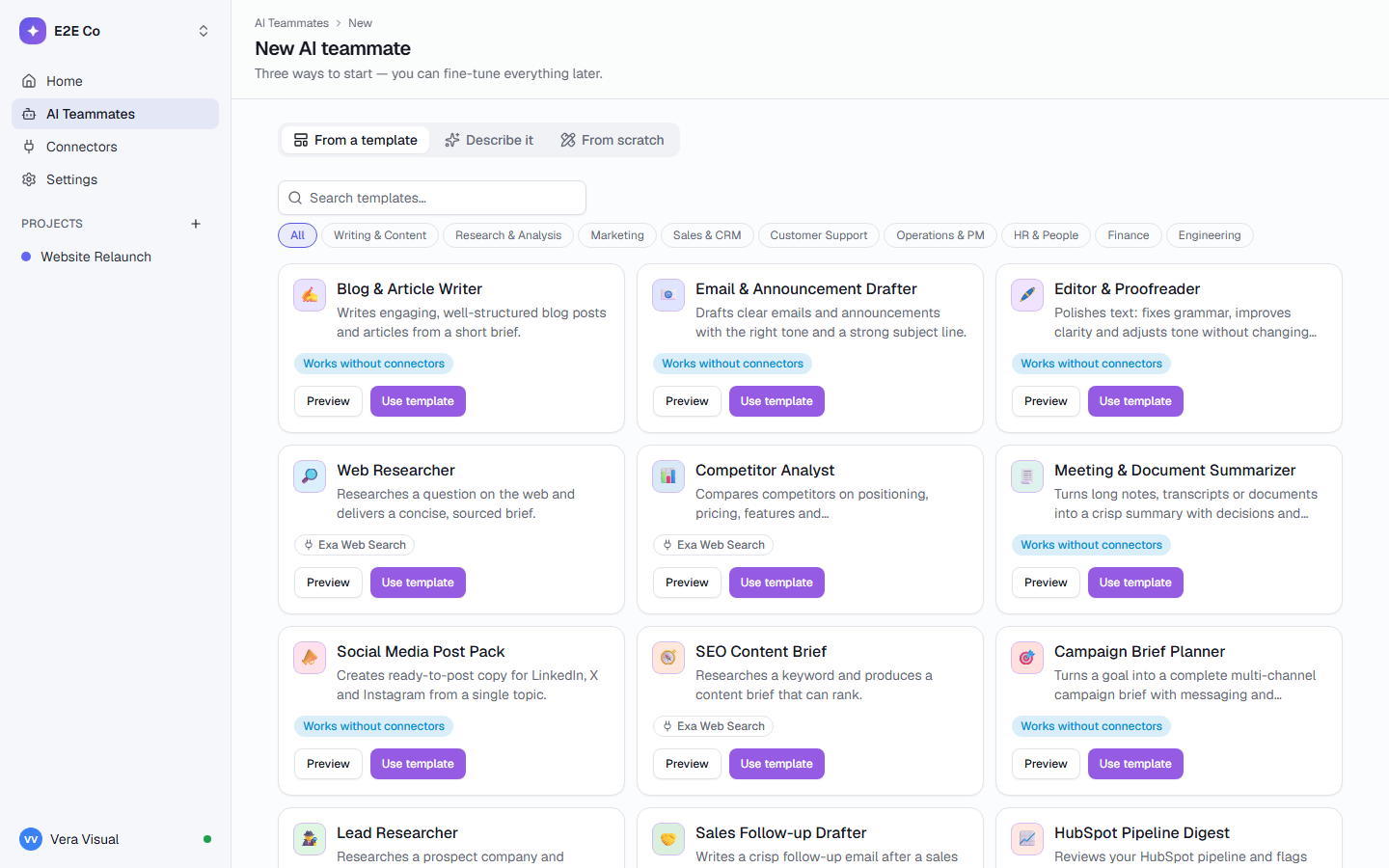
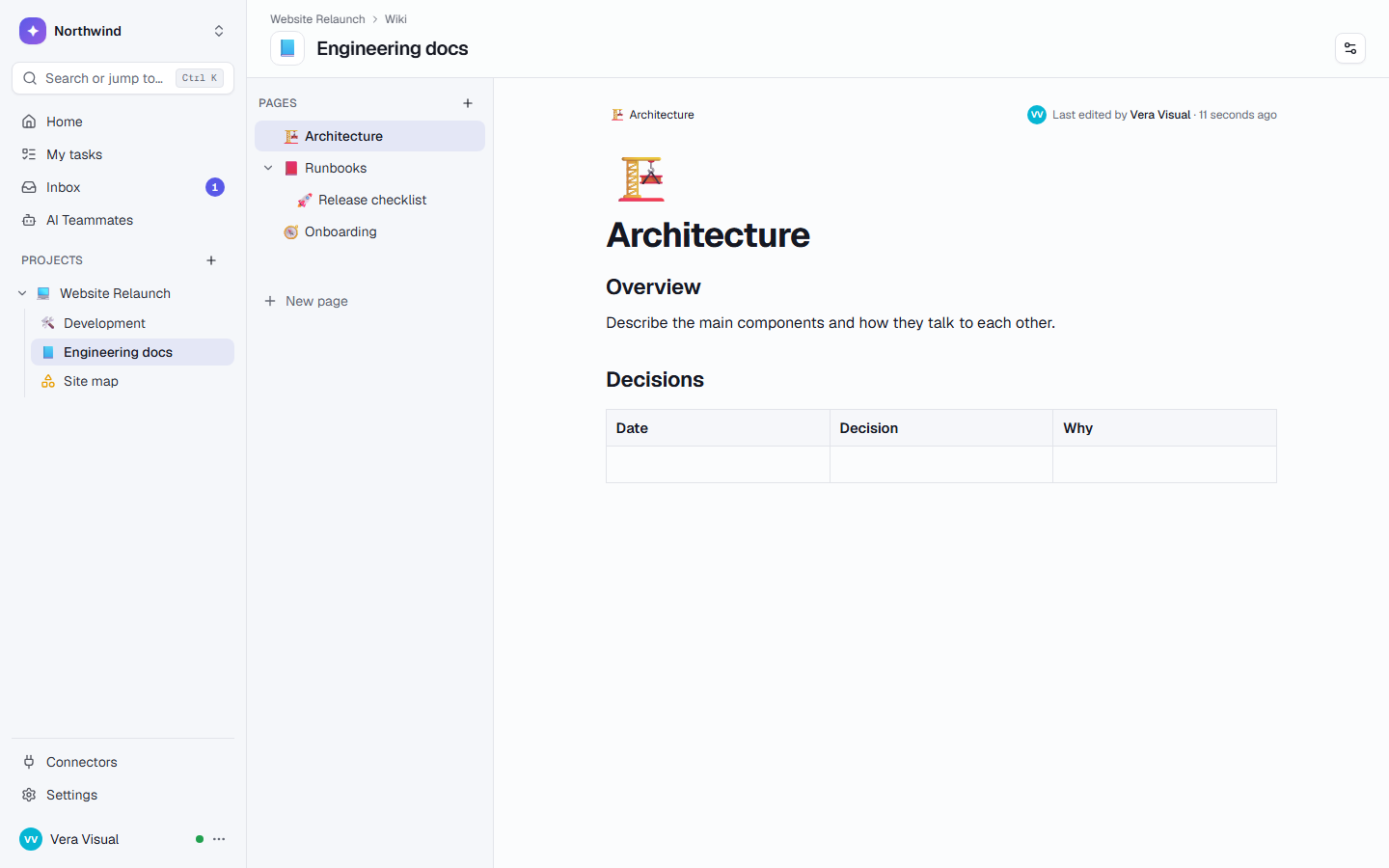
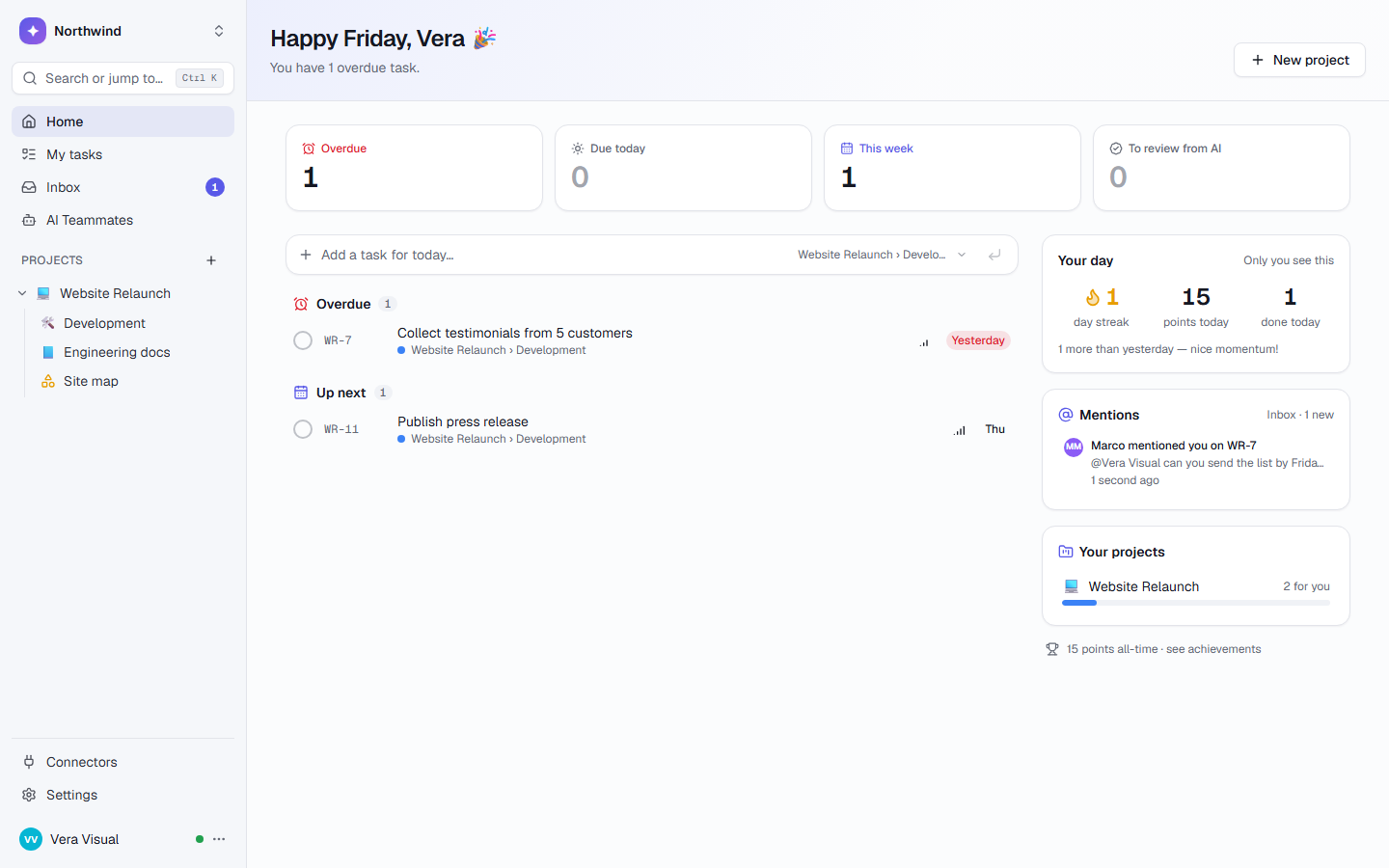
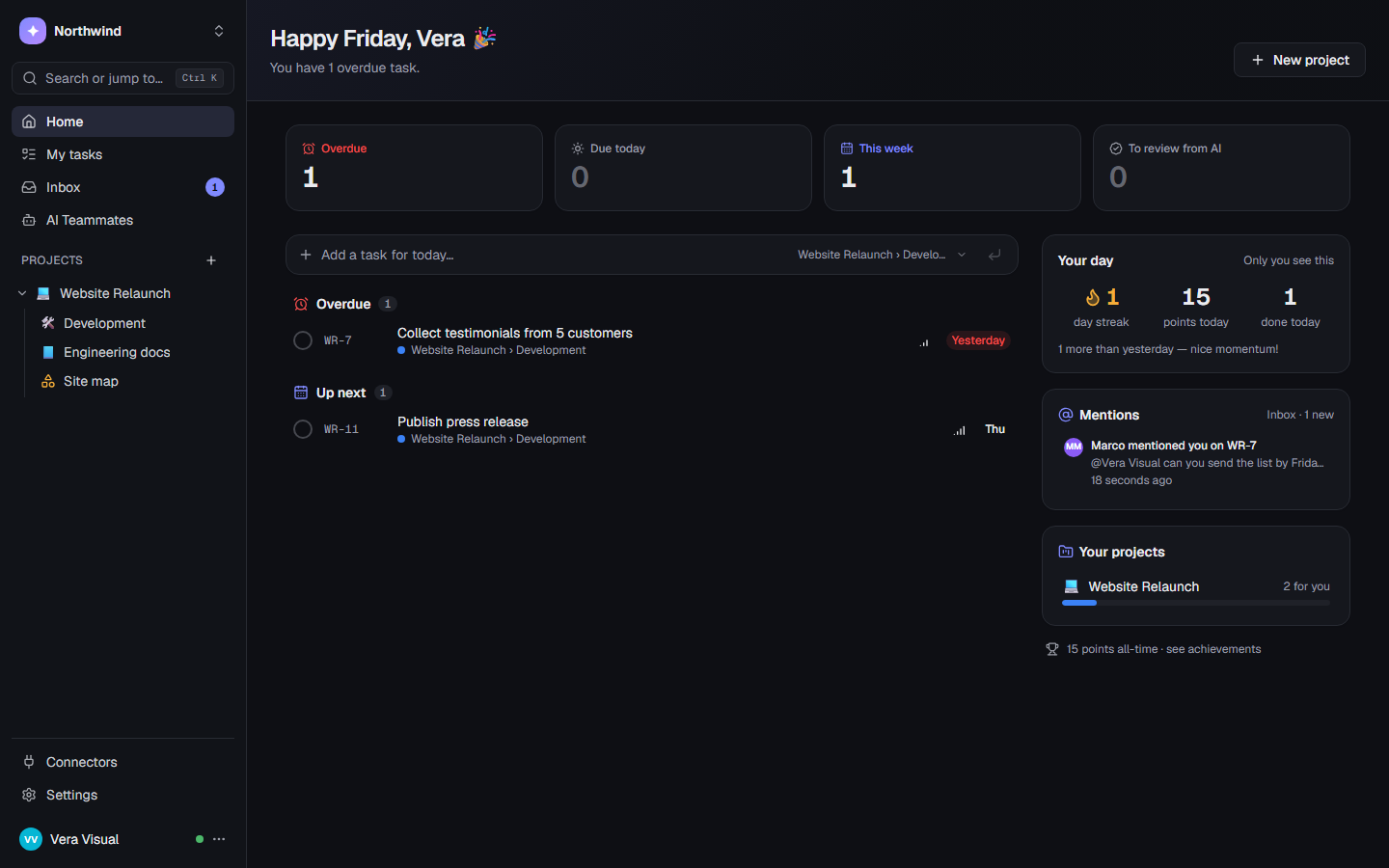
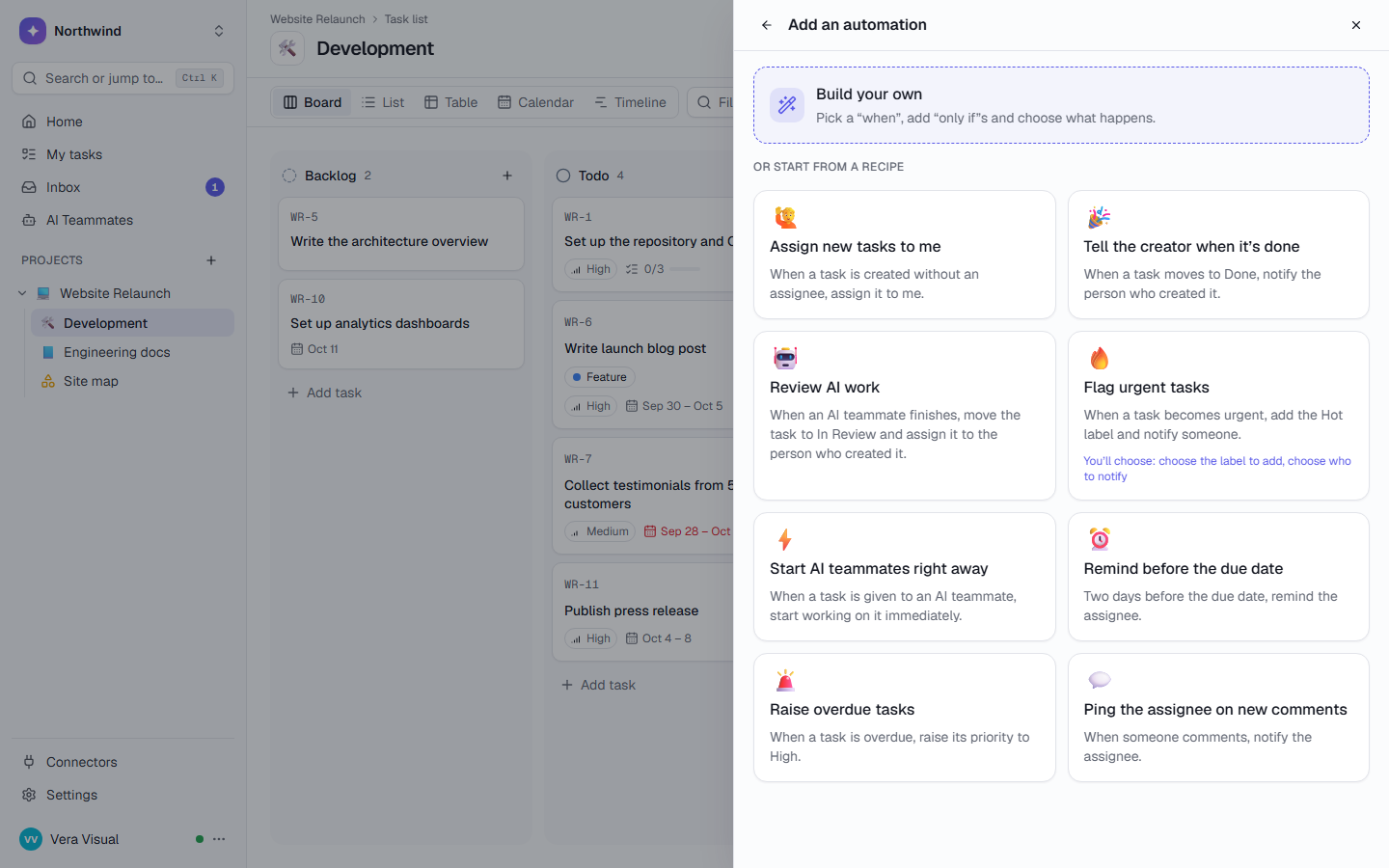
Every team works its own way. In the same place.
Each list has its own states, labels and fields, and its own suggested AI teammates. Sales and dev never share one list.
Agencies & studios
- Every client on one page, with % done and overdue
- Clients follow progress by link, no account
- The Monday report drafted for a person to send
Software teams
- Sprints with burn-down and velocity
- Dependencies, baselines and the critical path
- Coding agents take the next task through MCP
Sales
- Deals board with value and close dates
- Reps can’t see the dev board
- A goal counts “Deal value where Stage is Won”
Finance & compliance
- Monthly filings appear on the 1st with the right due date
- Month-end close runs as a playbook
- Every change in the audit log
Give work to AI teammates like you’d give it to a colleague.
Assign or @mention
Assign a task to a teammate, or @mention one in a comment. The comment is the instruction.
Watch it work
Every step shows up live on the task: what it read, which tools it used and what it cost.
Review the result
The work lands as a comment and files under “AI results to review”. Retry or hand it back with one click.
Drafts a project’s weekly status update from what happened in TaskCrew: done, in progress, risks and next week. A person reviews and sends it.
projectResearches a prospect company and prepares a tailored outreach angle.
companyWrites a client-ready weekly or monthly report from your tasks and the numbers you add, with internal notes kept apart.
client periodExtracts decisions and owner-assigned action items from meeting notes.
meeting_notesMatches invoices to payments or bank lines and lists what is matched, unmatched, partly paid or duplicated, with a CSV to check.
invoices paymentsTurns a list of changes into user-friendly release notes.
changesTeammates can hand subtasks to other teammates. Run them on a schedule, when a task changes state, or from an automation.
AI that asks before it acts.
Reading is free. Changing anything outside TaskCrew waits for a person.
Asks first
Each action in Slack, HubSpot, Gmail and other connected tools waits for Approve or Reject, with the exact details.
Sandboxed
Every run gets its own sealed container: no network, no secrets, a read-only file system.
Spend limit
Set a monthly limit. At the limit AI pauses until you raise it or the month ends. No surprise bill.
Every step logged
Every tool call, with its inputs, results and timing, is written to the audit log by the runner, not the AI.
Sees what you share
Ask your workspace answers only from what the person asking can open.
Never sees passwords
Password vaults are invisible to AI teammates, MCP, search and exports.
Your agents can work from TaskCrew too.
Point Claude Code, Cursor or your own scripts at a task list. They take the next task, report progress and finish it, and your team sees it all live.
$ claude mcp add --transport http taskcrew \
    https://api.taskcrew.com/mcp \
--header "Authorization: Bearer tc_…"Your data, your choice of where it runs.
TaskCrew Cloud
Start in a minute. We run it, back it up and update it.
- Sign up and invite your team today
- Free for up to 5 people
- Daily backups and updates, done for you
Self-hosted
One Docker command. Your servers, your region, your AI key. Daily backups to your own S3.
- Your database, files and email stay with you
- Bring your own AI provider key
- Automatic HTTPS with Caddy
Bring your work with you.
Export
Export from Jira, Trello, Asana, ClickUp or monday.com. The wizard shows you how for each tool.
Match and preview
Match each status, person and field. A dry run shows what will come over before anything is created.
Import, or undo
Import in the background with live progress, and undo with one click if it’s not right.
No logo wall. Just things you can check.
We won’t show you made-up customer counts or borrowed badges. Here is what TaskCrew does today, with where each number comes from. Every screenshot on this site is the real product.
- Public changelog with dated releases
- Docs for the API, the MCP server and self-hosting
- Run it on your own servers, with your own AI provider key
- Nothing deleted by accident: Trash, Undo and typed confirmations
AI teammate templates in 10 categories, from Caption Writer to Sentry Bug Triage.
built-in connectors with one-click sign-in, plus any remote MCP server you add.
before an unanswered approval is rejected for you. No answer means no.
in AI overage, ever. At your monthly limit, AI pauses until the 1st. Nothing else stops.
for every password vault, with every reveal and copy written to a log.
MCP tools, so Claude Code, Cursor or your own agent can take work from a list.
The release that makes TaskCrew safe to run for real, in our cloud or on your own servers.
An Assistant beside every page, and Review & tidyHelp where you are working, and a guided clean-up for projects that went quiet.
Home tabs, AI usage limits and goals you keep like habitsA calmer Home, a hard monthly cap on AI, and goals rebuilt from scratch.
Importers, single sign-on and sprintsBring your team over from another tool, sign in with your identity provider, and plan in sprints.
Simple pricing. AI included.
Pay per person who edits. When you reach your AI limit, AI pauses. It never runs up a bill.
Free
For trying TaskCrew with a small team
Team
For teams that run their work in TaskCrew
Business
For companies that need more AI and control
AI credits are included in every plan. Guests and AI teammates are always free. See pricing Enterprise
Questions, answered
What is TaskCrew?
One workspace for the whole company: task lists, wikis, tables, dashboards, forms, goals, chat and password vaults, with AI teammates you can assign work to. Every team gets its own space and workflow, and AI teammates ask before they change anything outside TaskCrew.
How is it different from ClickUp or monday.com?
Three things. AI pauses at your monthly limit instead of selling top-ups or overage. Every action an AI teammate takes in another tool can wait for a person, who sees the exact arguments. And you can run TaskCrew on your own servers with Docker. There is also a password vault built in. Read the ClickUp and monday.com comparisons, including where they may fit better.
What can AI teammates do, and what can’t they do?
They read the task, its comments and files, use the workspace tools (create subtasks, comment, write wiki pages, search) and the connectors you allow. They can’t see password vaults, can’t reach the internet or your keys from their sandbox, and with “Ask before acting” on, they can’t change anything in another tool until a person approves. How control works.
Can I host it myself?
Yes. TaskCrew runs from one Docker Compose file on your own server, with your database, your file storage, your email and your own AI provider key. See self-hosting.
Can I import from Jira, Trello, Asana, ClickUp or monday.com?
Yes. Export from your tool, match statuses, people and fields, check a dry run, then import in the background. Comments keep their author and date, and Undo import takes it all back. Up to 5,000 tasks per file. How importing works.
Is there a free plan?
Yes: free for up to 5 people, with 3 projects, 500 AI credits a month and 2 AI teammates. Business is free to try for 14 days, no credit card. See pricing.
Bring the whole company into one place.
Free for up to 5 people. Try Business free for 14 days.