Sprints for your team. A work queue for your agents.
Plan two-week sprints with a burn-down, ship every release from the same playbook, and let Claude Code or Cursor take the next task from a list while the team watches it move.
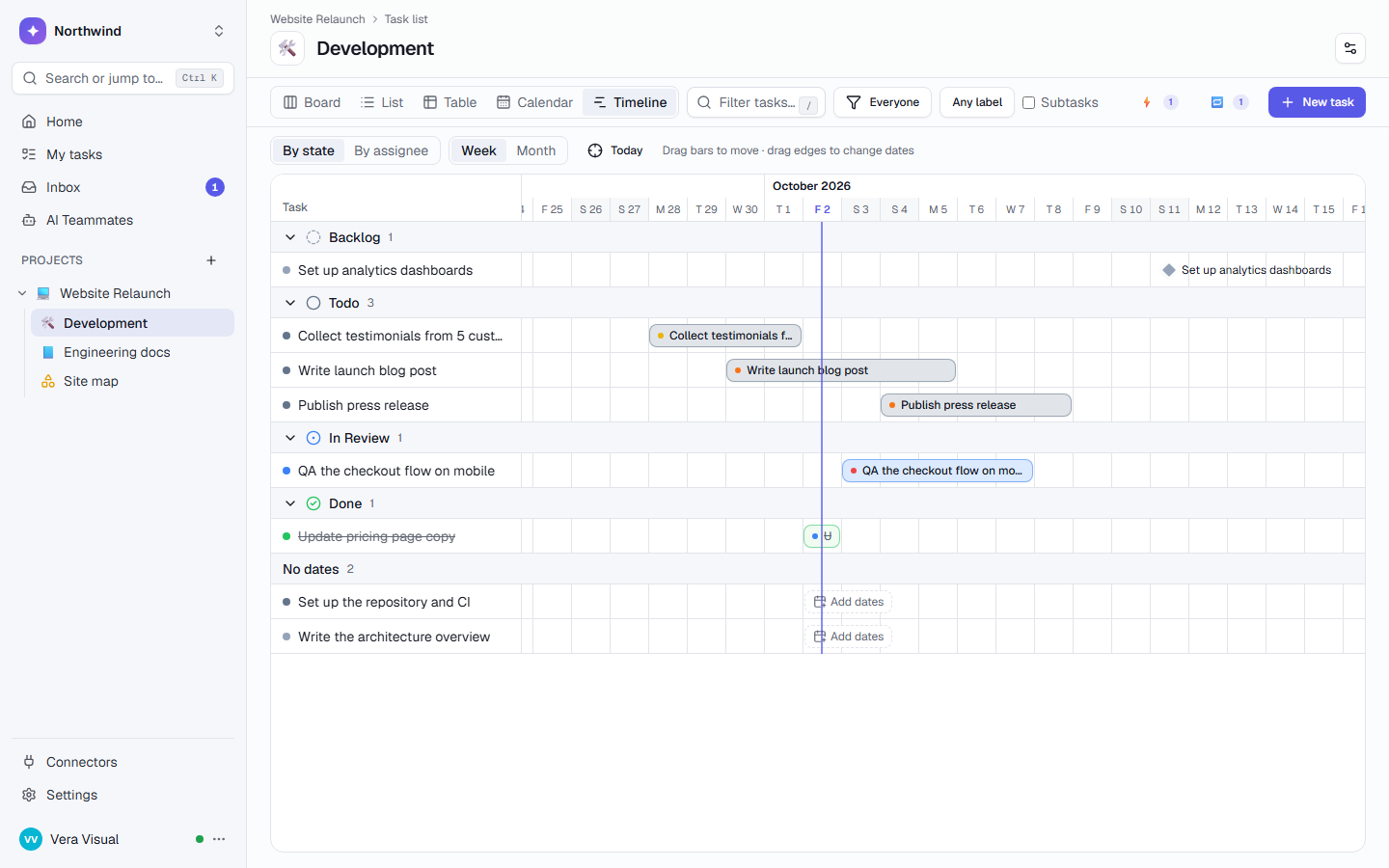
The Software team template’s Development list with example tasks: story points, a Release Notes Writer at work and a task waiting for the agent queue.
The tracker, the wiki, the chat and the agent.
Three things that slow a product team down between commits.
Tickets in one tool, docs in another
The spec is in a wiki, the bug in a tracker and the decision in a chat thread. Linking them is a job nobody does.
The burn-down lives in a spreadsheet
Sprints are planned in a sheet and the burn-down is drawn by hand, so it’s out of date by Wednesday.
Your agents have no shared to-do list
Claude Code works on your laptop. Nobody else knows what it picked up, or whether it finished.
Your engineering workspace, set up in a minute.
Start from the Software team template, and add DevOps & infrastructure to keep ops work, incidents and runbooks apart from product work. Rename, add or remove anything.
- Restrict a list to the people who should see it, so sales never sees the dev board
- Add a password vault for root and service logins, hidden from AI
- Agent lifecycle states are added to every list, so you see when an AI teammate is working
From the backlog to the release notes.
One place for the sprint, the code agents and the release, with the rest of the company a link away.
Sprints, dependencies and a real timeline.
Turn on sprints for a list and plan them with dates and a goal. The burn-down counts story points or tasks, and closing a sprint carries what’s open to the next one.
- Velocity says what recent sprints finished
- A saved view “Current sprint” always follows the running sprint
- “Blocked by” arrows, baselines and the critical path on the timeline
- Milestones show on the calendar and on All projects
Coding agents take the next task, and the team sees it.
Point Claude Code, Cursor or your own script at a task list. It claims the top task, which moves to In Progress and is assigned to you, comments as it works and completes it with a note.
- claim_next_task and complete_task, plus watch_task to follow work
- Two agents claiming at once get different tasks
- An API token acts as you and sees only what you can see
Every release, in the same order.
Start the Software release playbook for a version and its steps become tasks with owners and due dates. QA can’t sign off before the tests, and nobody deploys before the sign-off.
- Roles filled per run: Release manager, QA and DevOps
- Release Notes Writer turns the list of changes into notes people read
- Runbooks and the release checklist live in the engineering wiki
Prepare
- Freeze the release branch for 2.4 Release manager · Mira
- Write release notes for 2.4 Release manager · Mira
- Create tag v2.4 DevOps · Dev
Verify
- Run end-to-end tests on staging QA · Marco
- Verify database migrations on staging DevOps · Dev
- Sign off the releaseWaits for the tests and migrations Release manager · Mira
Deploy
- Deploy 2.4 to production DevOps · Dev
- Verify the deploymentWaits for the deploy QA · Marco
- Check access and permissionsWaits for the deploy DevOps · Dev
Wrap up
- Announce 2.4 to customers Release manager · Mira
- Close the release and note lessons learned Owner
AI teammates for engineering.
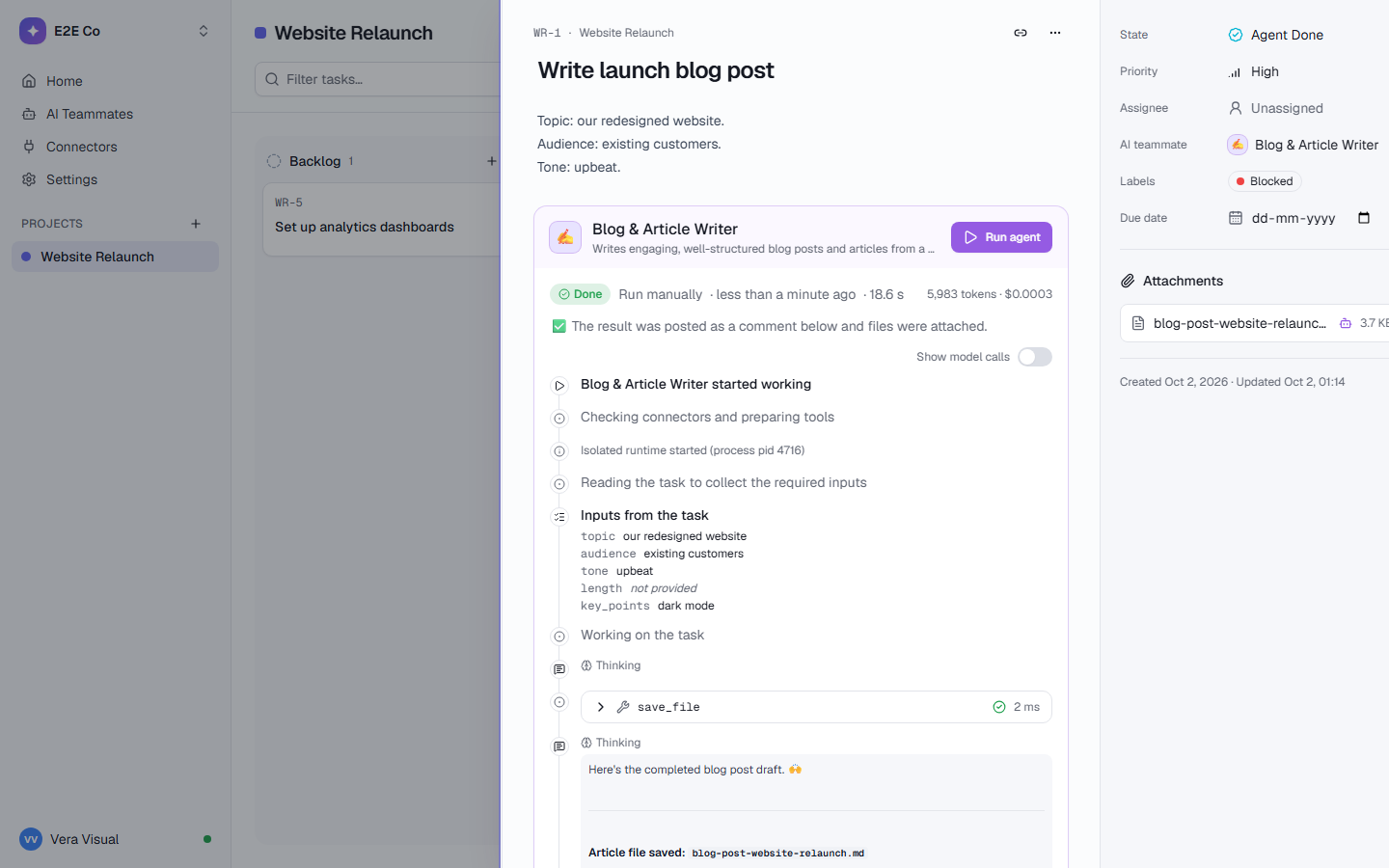
Teammates that triage, explain and write, so developers spend their time on code. Each run shows every step live on the task.
Watch the work happen on the task.
- Every step, tool call, token and cost on the task’s timeline
- Filing a Linear ticket or posting in Slack waits for a person’s Approve
- Each run gets its own sandbox: no network, no secrets
- Teammates can hand a subtask to another teammate
Investigates a Sentry issue, proposes a root cause and fix, and optionally files a Linear ticket.
issueTurns a list of changes into user-friendly release notes.
changesBreaks a feature spec into well-scoped Linear issues with acceptance criteria.
spec teamAnswers technical questions using up-to-date official documentation.
questionWrites a weekly status report from your Linear issues.
team_or_projectExtracts decisions and owner-assigned action items from meeting notes.
meeting_notesAssign a task, @mention one in a comment, or run it on a schedule. Each one runs in a sandbox and asks before it changes anything outside TaskCrew. Browse all teammates
Chores that don’t need a reminder.
State triggers, recurring tasks and playbooks keep the boring parts of engineering on schedule.
Moving a card starts the work
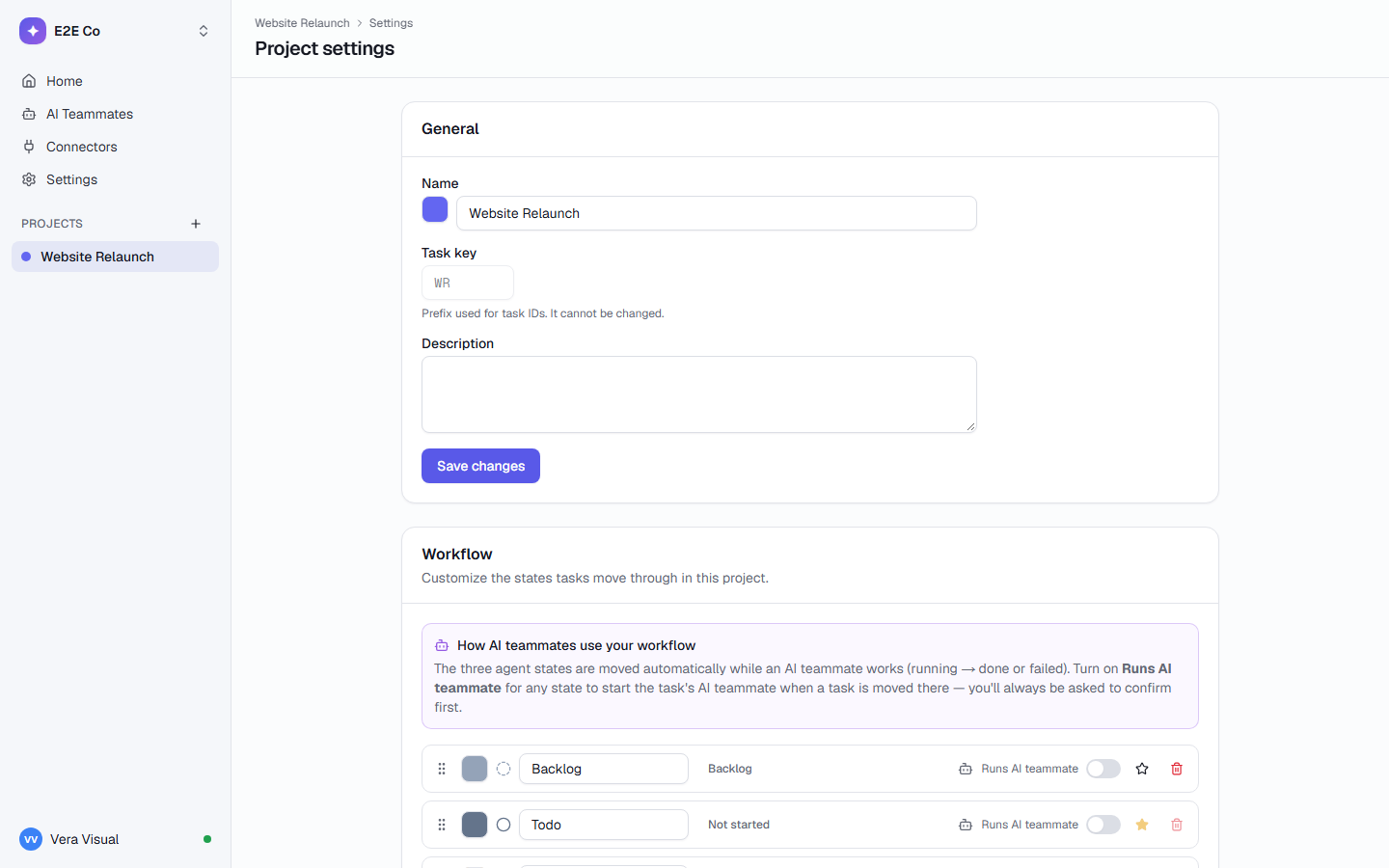
You’re asked to confirm before it runs. The agent states move by themselves while it works.
Ops chores that appear on time
From the DevOps template, with “Review cloud costs” every Monday.
Incident response
Roles filled per run: Incident lead and Communications. Start it from an automation or through MCP.
Two weeks of a 4-person product team.
Dev builds an ordering app for a client, with Claude Code on his laptop.
Wantsa burn-down nobody draws by hand, and an agent that works from the same list as the team.
Sprint 1 of the Lotus Cafe app
- Sprints, turned on
Dev turns on sprints for the Development list and counts points. Sprint 1 runs 14 days with the goal “Customers can order and pay in the app”: 6 tasks, 21 points.
- The agent takes a task
He points Claude Code at the “Agent queue” list. It claims “Fix the flaky checkout test”, comments with the root cause and completes it. The team watches the card move.
- The burn-down draws itself
Three tasks are done. The Sprints panel says 8 of 21 points, and the burn-down shows 13 left against the ideal line.
- A bug, triaged
Sentry Bug Triage proposes a root cause and asks before it files a Linear ticket. Dev approves.
- Close and carry over
Dev closes Sprint 1. The 3 open tasks move to Sprint 2, and velocity says the team usually finishes about 8 points.
Every team gets its own space. In the same workspace.
Each list has its own states, labels and fields, and access you choose. The teams below work next to yours, not in another tool.
Agencies & studios
Every client on one page, and clients who follow along by link.
- Client kickoff playbook
- Client Report Writer
Sales
A pipeline with deal values that adds itself up.
- Leads handed out in turn
- Lead Researcher
Finance & compliance
Filings on time, month-end close on a schedule.
- Recurring filings
- Document Chaser
Any other team
Start from one of 10 project templates, or describe the work in a few sentences and let AI plan the project.
- Marketing, DevOps, clinics, studios
- 10 kinds of work
Questions, answered
How is TaskCrew different from Jira or Linear?
TaskCrew is built for the whole company, not only engineering: sales, finance and ops work in the same workspace, each in lists with their own states and fields, and you can restrict who sees what. It adds AI teammates that ask before acting, a password vault and self-hosting. If you’re on Jira, the importer takes its CSV export (all fields), with comments and labels. If you keep Linear, Spec to Linear Tickets and Linear Status Reporter work with it through its connector. How importing works.
Which agents can use the MCP server?
Any MCP client: Claude Code, Cursor, Claude Desktop or your own scripts. Create a token in Settings → Developers, paste the command, and the agent gets 25 tools, including claim_next_task and complete_task. The token acts as you and sees only what you can open. Read the MCP docs.
Do we have to use sprints?
No. Sprints are turned on per list, in its settings. Lists without them work as a board, list, table, calendar, timeline, mind map or map. Kanban teams can ignore sprints entirely.
Can an AI teammate change things in GitHub, Sentry or Linear?
Only through the connectors you allow, and with “Ask before acting” on, every action that changes something waits for a person, who sees the exact arguments. Reading is never blocked. An unanswered request is rejected after 30 minutes. How AI control works.
Can we run TaskCrew on our own servers?
Yes, with one Docker Compose file: your database, your file storage, your email and your own AI provider key, with automatic HTTPS through Caddy. See self-hosting.
Give your team a sprint board and your agents a queue.
Free for up to 5 people. Try Business free for 14 days.