Every team’s work, its own way.
Task lists with their own workflow, fields and views, for sales, dev, ops and client work. Plan sprints and Gantt charts, and hand a task to an AI teammate when it helps.
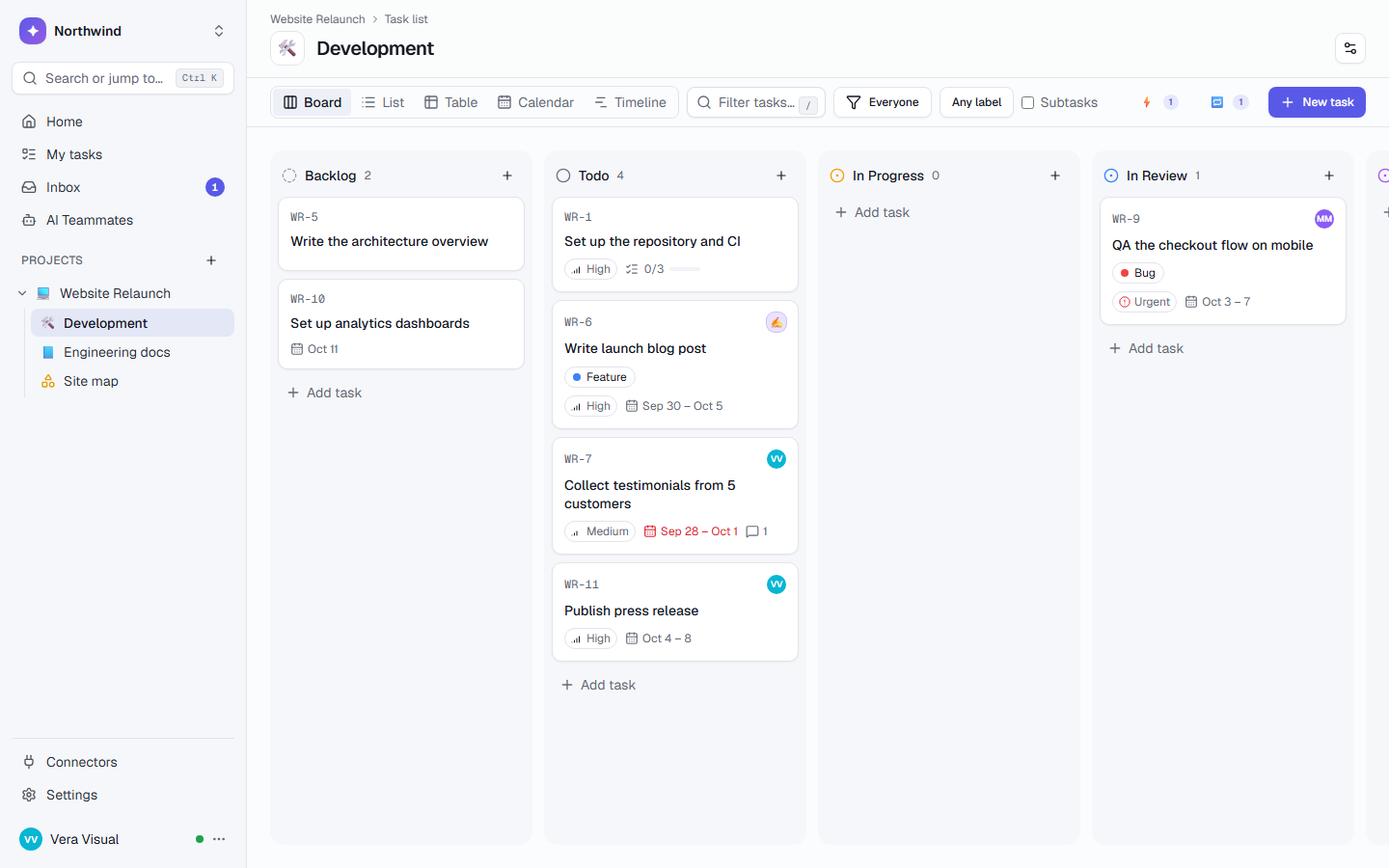
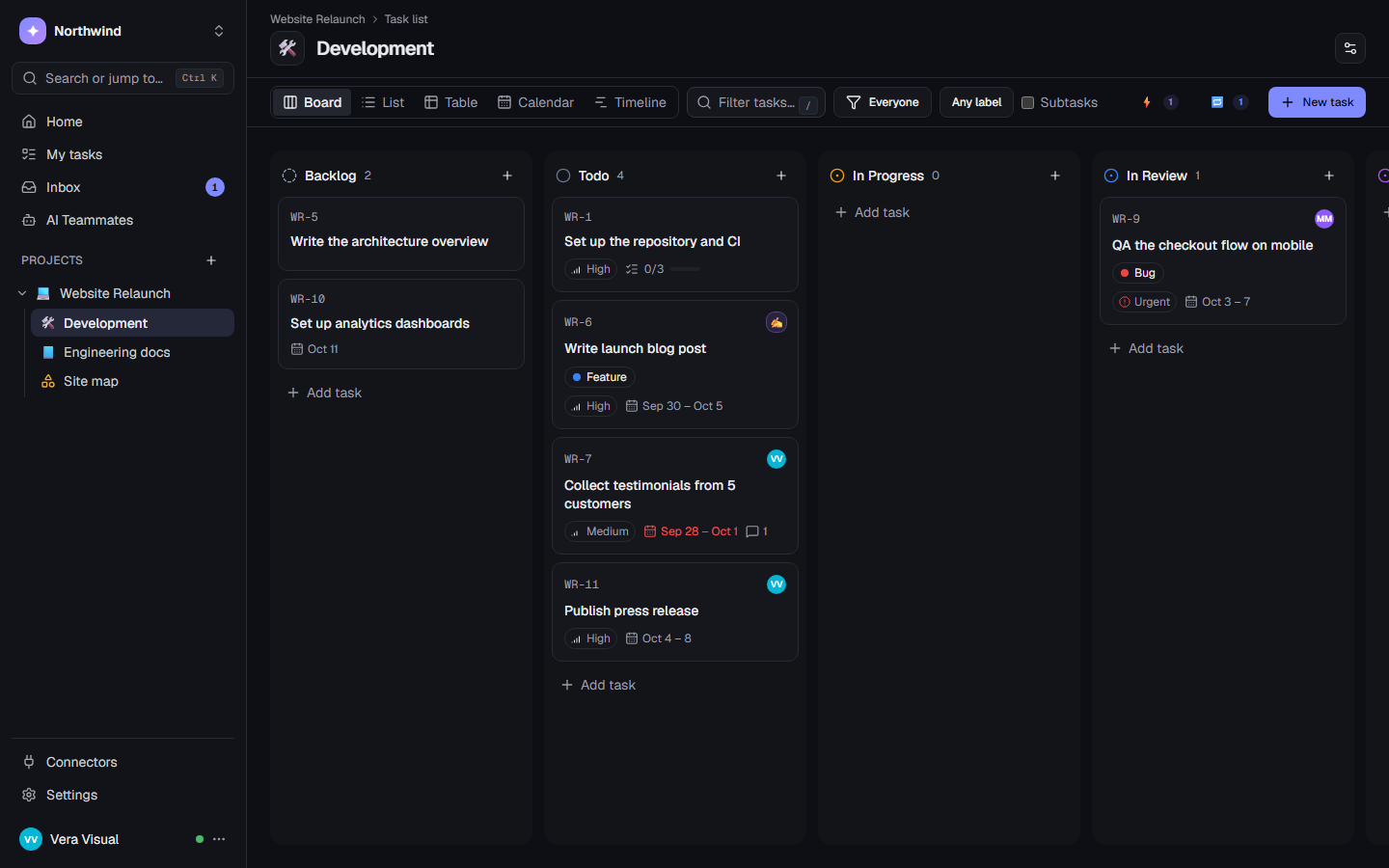
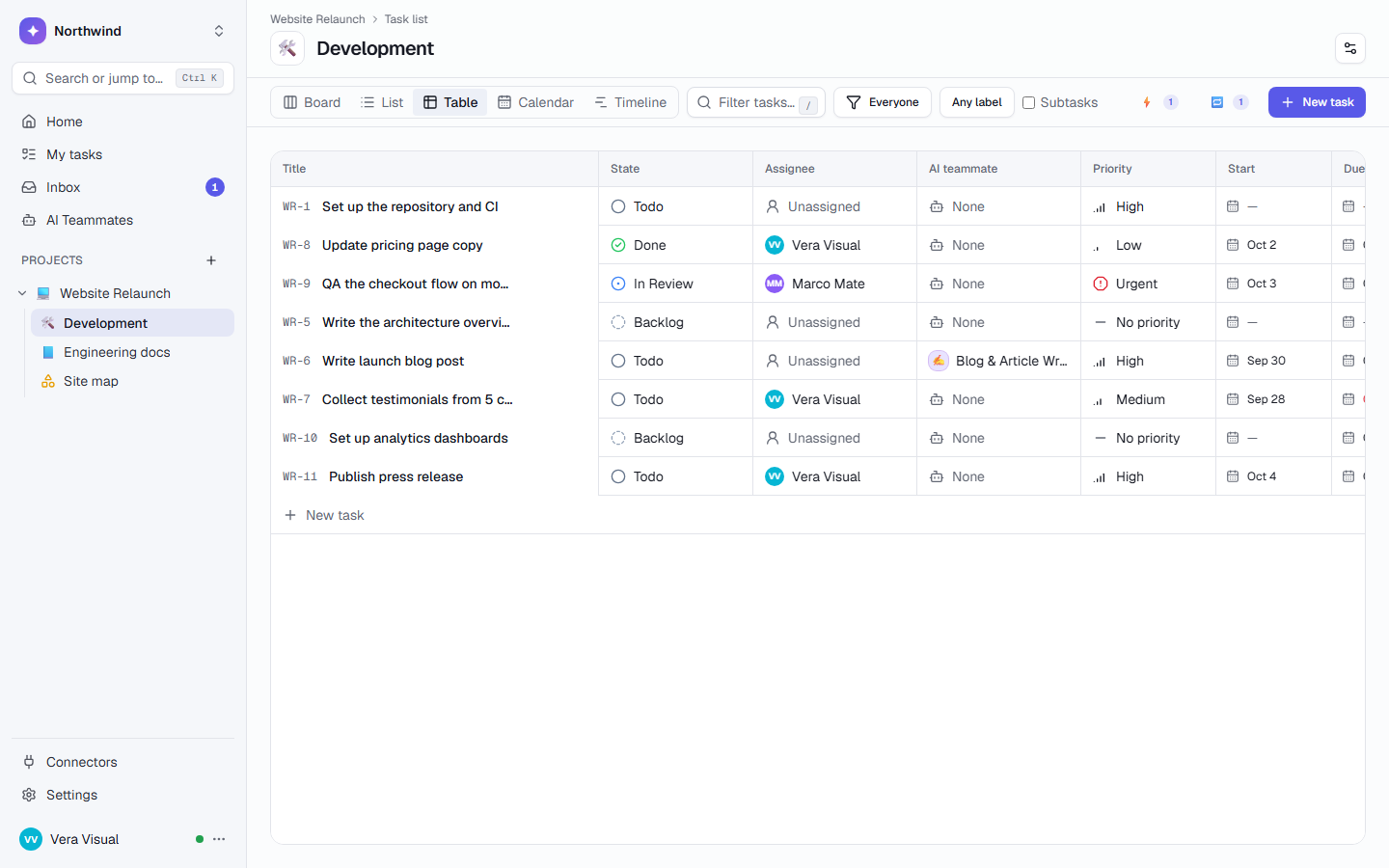
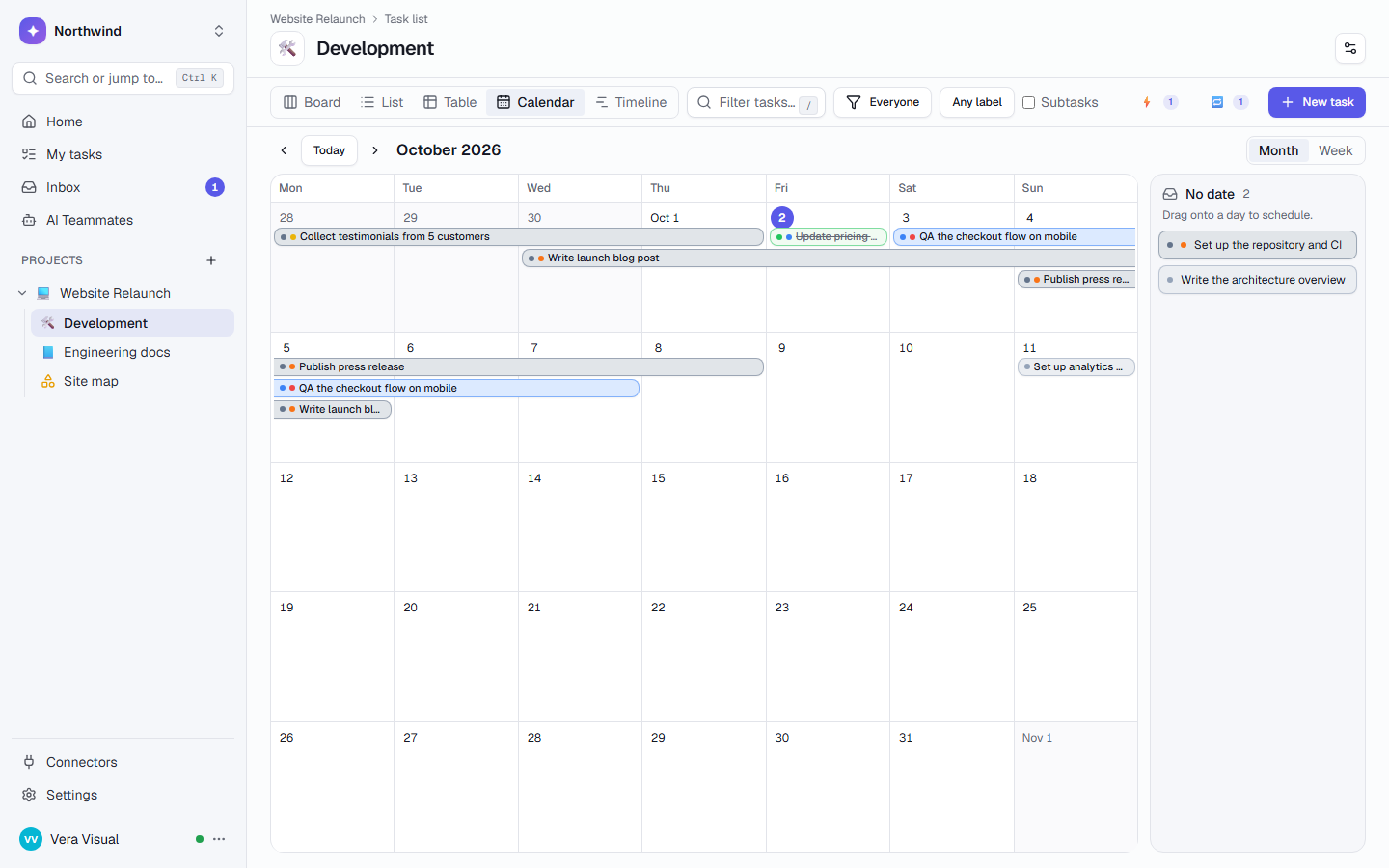
Seven views of the same work.
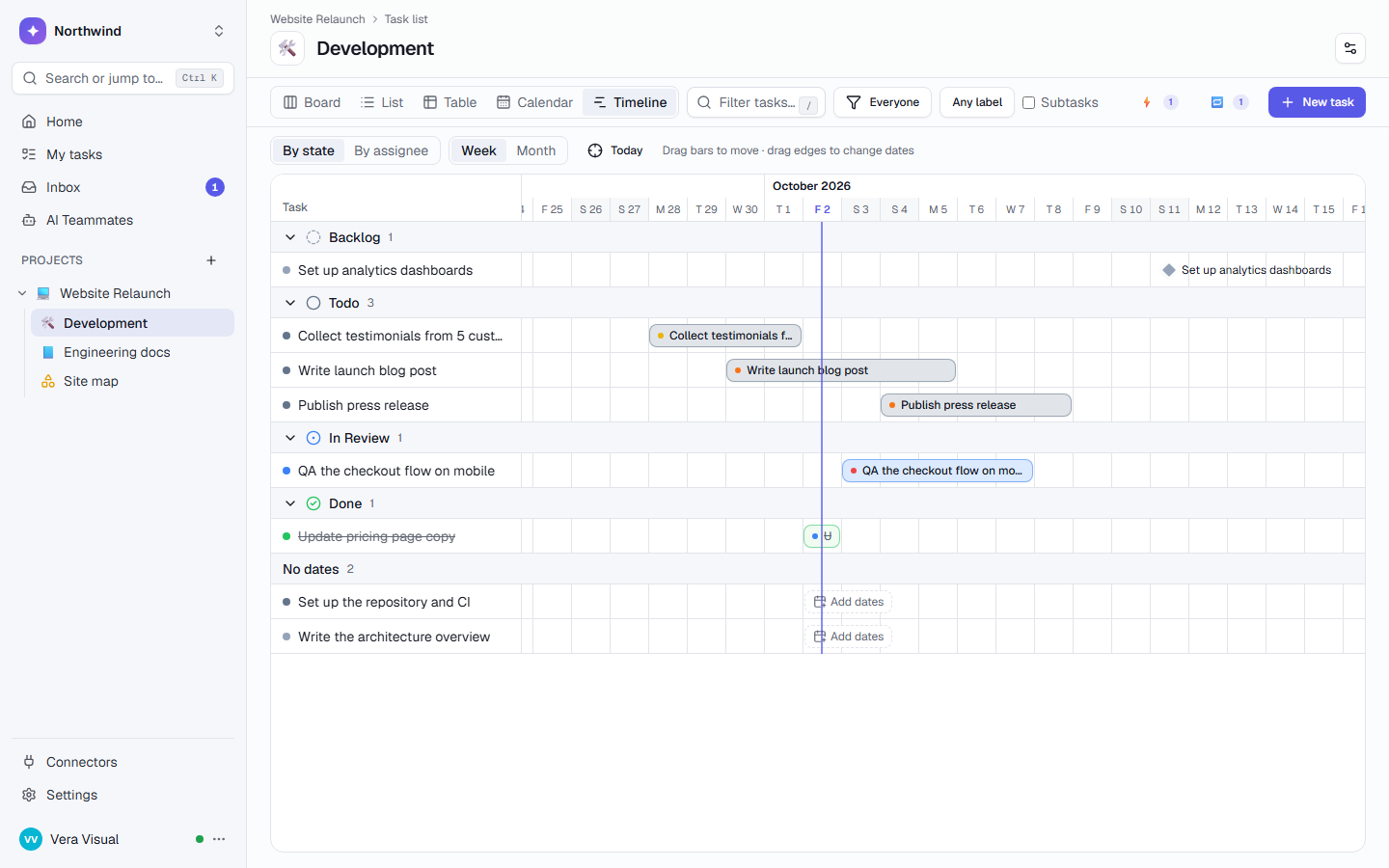
Board, list, table, calendar, timeline (Gantt), mind map and map. Drag a card, a bar or a date, and every view updates live for everyone.
- Table view with inline editing, totals and a Progress column
- Calendar and timeline: drag to reschedule, drag edges to change dates
- Mind map from the keyboard, and map pins for tasks with a Location field
- Group by person, priority, label or a field; on the board, groups become swimlanes
Tab adds a subtask, Enter the next idea beside it, F2 renames.
Each list has its own rules.
A list has its own states, labels, custom fields and task types. Sales and dev never share one list, so nobody scrolls past fields that aren’t theirs.
- 10 field types: text, number, money, choices, date, checkbox, link, person and location
- Task types: Task, Milestone, Approval, or your own, such as Bug
- An Approval is answered with Approve, Request changes or Reject
- Saved views for yourself or the whole team, shareable by link
Same workspace, separate lists: reps never see story points, developers never see deal values.
Plan like a project manager.
Run sprints with a burn-down and velocity. Link tasks with “blocked by”, save a baseline, and see the slips and the critical path on the timeline.
- Closing a sprint carries its open tasks to the next one
- Baselines show “+3d” slips and “2 later · 1 earlier · 1 new”
- Milestones on the timeline, the calendar and All projects
- Placeholder people, like “Freelance designer”, until someone joins
Closing carries open tasks to the next sprint.
Everything else a task list needs.
Several assignees per task, plus watchers who follow it
Subtasks and checklists, with progress on the parent
“Blocked by” links, with “Show the whole chain”
Saved views for yourself or the whole team
Bulk edit many tasks at once, with Undo
Recurring tasks in plain words: “created on the 1st, due on the 10th”
Approvals: Approve, Request changes or Reject
Comment threads with reactions, and comments assigned to a person
Full history in plain sentences: who, when, old → new
Trash with Undo, instead of deleting for good
Task templates shared with the whole workspace
Time tracking with a timer, estimates and timesheets
Give a task to an AI teammate.
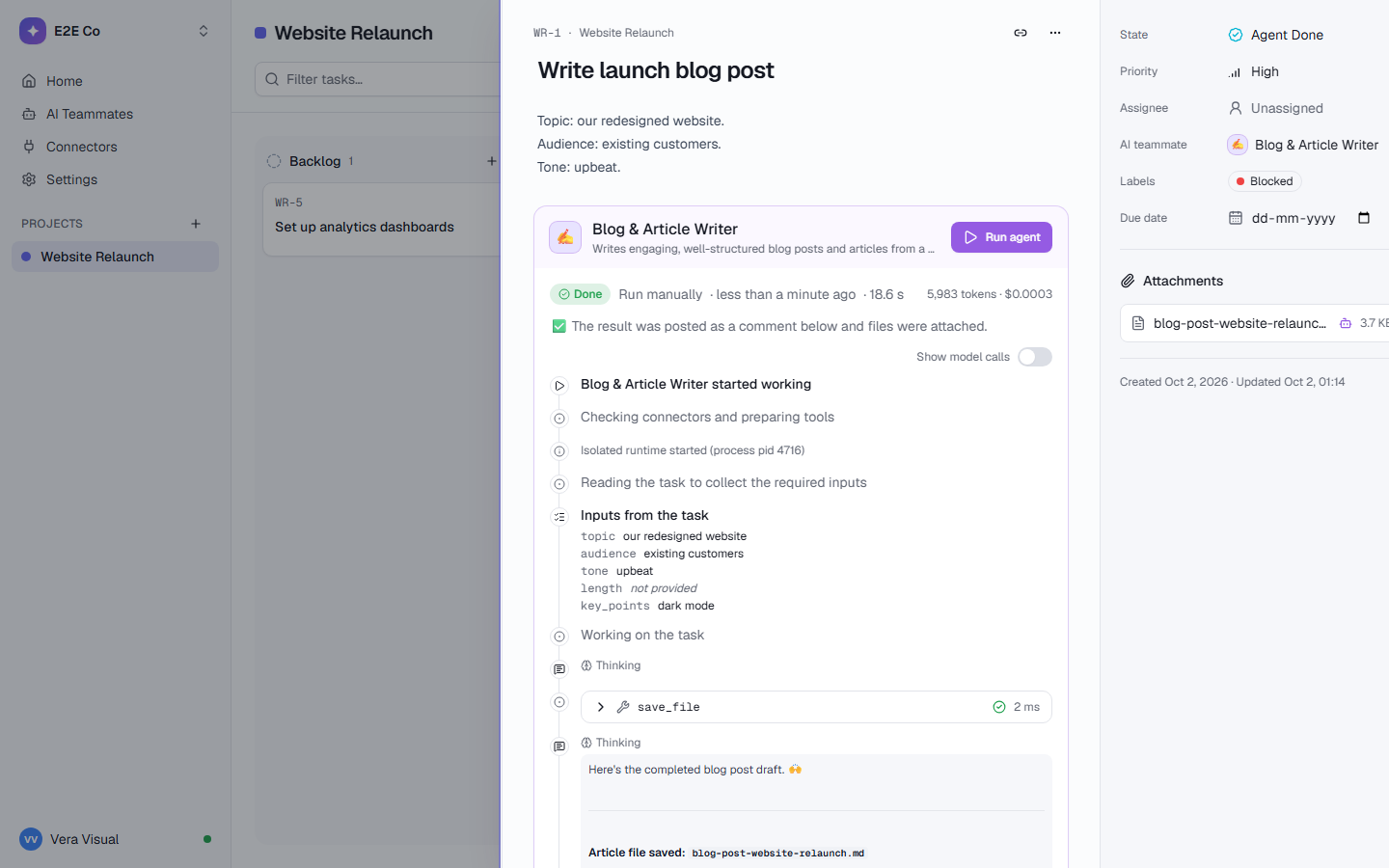
Assign a task to an AI teammate, or @mention one in a comment. It reads the task, its comments and files, shows each step live, and puts the result up for review.
- Brief to Tasks turns a client brief into subtasks with due dates
- Meeting Notes → Action Items lists decisions and who owns each follow-up
- A workflow state can start the task’s AI teammate when a card moves there, after you confirm
- Recurring tasks and automations can start a teammate on a schedule
AI teammates that fit this page
Turns a client brief into 4-12 clear subtasks with checklists, priorities and due dates, plus questions for the client.
briefExtracts decisions and owner-assigned action items from meeting notes.
meeting_notesInvestigates a Sentry issue, proposes a root cause and fix, and optionally files a Linear ticket.
issueDrafts a project’s weekly status update from what happened in TaskCrew: done, in progress, risks and next week. A person reviews and sends it.
projectTasks show up wherever the work is discussed.
[[ links everywhere
Type [[ in a description or comment to link a page, record, file or another task. The other side shows “Mentioned in”.
Inside pages and whiteboards
Embed a live task list in a wiki page, put tasks on a canvas, and turn meeting notes into tasks.
Counted by dashboards and goals
Dashboards count and add up tasks by any field. Goals move when tasks reach a state.
In your own calendar
Subscribe from Google Calendar, Outlook or Apple Calendar. It shows only what you can open.
One workspace. Everything connects.
Who sees which list is up to you.
Questions, answered
Does TaskCrew have a Gantt chart?
Yes. The timeline view is a Gantt chart: drag bars to move them and drag their edges to change dates. It draws arrows for “blocked by” links, shows milestones as diamonds, compares the plan with a saved baseline, and can highlight the critical path.
Can a task have several assignees?
Yes. A task can have several people, at most one AI teammate, and watchers who follow its comments and changes. A shared task counts for each of its people on workload and overview pages.
Does it support sprints?
Yes. Turn sprints on in a list’s settings. Each sprint has dates, a goal and a burn-down, counted in points from a Number field or in tasks. Closing a sprint carries the open tasks over, and the velocity shows what recent sprints finished. Sprints for software teams.
Is it free?
Yes. Task lists are in every plan. Free is for up to 5 people with 3 projects; Team and Business add unlimited projects, more automations and more AI. See pricing.
How is it different from Jira or ClickUp?
Each list keeps its own workflow and fields, so sales and dev share a workspace but not a list. AI teammates take tasks and ask before they change anything outside TaskCrew, and you can host it yourself. You can import from Jira, Trello, Asana, ClickUp or monday.com, up to 5,000 tasks per file. TaskCrew vs ClickUp · How importing works.
Give every team a list that fits how it works.
Free for up to 5 people. Try Business free for 14 days.