Every client, on one page.
Kick off a new client the same way every time, run the feedback round on a homepage hero without losing a note, and get the Monday report drafted for a person to send. Clients follow along by link, with no account to make.
An example agency board: client work with an AI teammate drafting captions and a brief turned into subtasks. The clients are made up.
Fifteen clients. One Monday morning.
Three things that eat an agency’s week, whatever tools it uses today.
Fifteen clients, fifteen places to look
Each client has its own lists, docs, files and logins. Finding out which one needs you this week means opening every project.
The Monday report takes all morning
You copy what got done from the board into a doc, tidy the wording and hope nothing is missing, for every client.
Clients want updates, not another password
The client’s marketing head wants to see where the rebrand stands. She won’t learn your tool or keep one more login.
Your agency workspace, set up in a minute.
Pick a template when you create a project. Everything below is created for you, and you can rename, add or remove any of it. You can also make one project per client.
A table you can see as a grid, kanban, calendar or gallery.
Add your own states, labels and fields, or a list per client.
Sticky notes and shapes, with live tasks and wiki pages embedded on the board.
- Add a password vault per client for their logins, hidden from AI
- Add a dashboard, a form for briefs or a goals tracker when you need one
- Make a client project private to the people who work on it
From signed contract to the Monday report.
What TaskCrew does at each step, from the welcome email to the weekly update.
Every client starts the same way.
Start the Client project kickoff playbook for a new client and its steps become real tasks, each with an owner and a due date. A step that waits for another starts when that one is done.
- Roles filled per run: Account manager and Project lead
- Brief to Tasks turns a client brief into 4 to 12 subtasks, with questions for the client
- A form collects briefs: every answer is a row, and can create a task
Set up
- Send the welcome email to Acme Corp Account manager · Rohan
- Create the project space and invite Acme Corp contacts Project lead · Priya
- Collect the brief and access from Acme Corp Account manager · Rohan
Kickoff
- Run the kickoff meeting with Acme Corp Project lead · Priya
- Share the plan and timeline with Acme CorpWaits for “Run the kickoff meeting” Project lead · Priya
See which client needs you, without opening fifteen projects.
All projects lists every client project with how much is done, what is overdue, what is due in the next 7 days and when it last moved. Sort by overdue and the client who needs you is on top.
- AI spend per client this month, last month, 30 or 90 days (owners and admins)
- Workload shows who is too busy, and when, across every project
- Client feedback goes on the task as a comment assigned to someone, until it’s resolved
- Timers and timesheets, with billable hours per project
| Project | Done | Overdue ↓ | Due in 7 days | AI spend |
|---|---|---|---|---|
| 🔆 BrightsideLast activity yesterday | 22% · 4 of 18 |
4 | 5 | $0.181 run |
| 🍃 Lotus CafeLast activity just now | 40% · 2 of 5 |
1 | 2 | $0.423 runs |
| 🏢 Acme rebrandLast activity 2 h ago | 64% · 9 of 14 |
0 | 3 | $1.107 runs |
| 🧁 Bloom BakeryLast activity 3 days ago | 85% · 11 of 13 |
0 | 1 | $0.00no runs |
Clients follow along by link.
Share a task list as your view shows it, a dashboard or a wiki page, read-only by link. The client opens it from your email and sees only what you chose. Nothing to sign up for.
- Links expire after 7, 30 or 90 days, or when you revoke them, and are never indexed
- Guests can view, comment or edit what you share with them, and are free
- Download a status report (PDF) or the whole project as an evidence pack (ZIP)
Acme — deliverables
AI teammates for client work.
Ready-made teammates from the agency pack. They work on the task, post their result as a comment and files, and wait under “AI results to review”. Nothing goes to a client without a person.
Writes a client-ready weekly or monthly report from your tasks and the numbers you add, with internal notes kept apart.
client periodTurns a client brief into 4-12 clear subtasks with checklists, priorities and due dates, plus questions for the client.
briefWrites on-brand captions, hashtags and alt text for a batch of client social posts.
client postsTurns one long piece (article, webinar transcript, newsletter) into posts, a thread, a newsletter blurb, a video script and quote cards.
source_contentDrafts a project’s weekly status update from what happened in TaskCrew: done, in progress, risks and next week. A person reviews and sends it.
projectExtracts decisions and owner-assigned action items from meeting notes.
meeting_notesPut the Project Status Writer on a task like “Weekly update — Acme” with a weekly schedule, and the draft is waiting every Monday. Browse all teammates
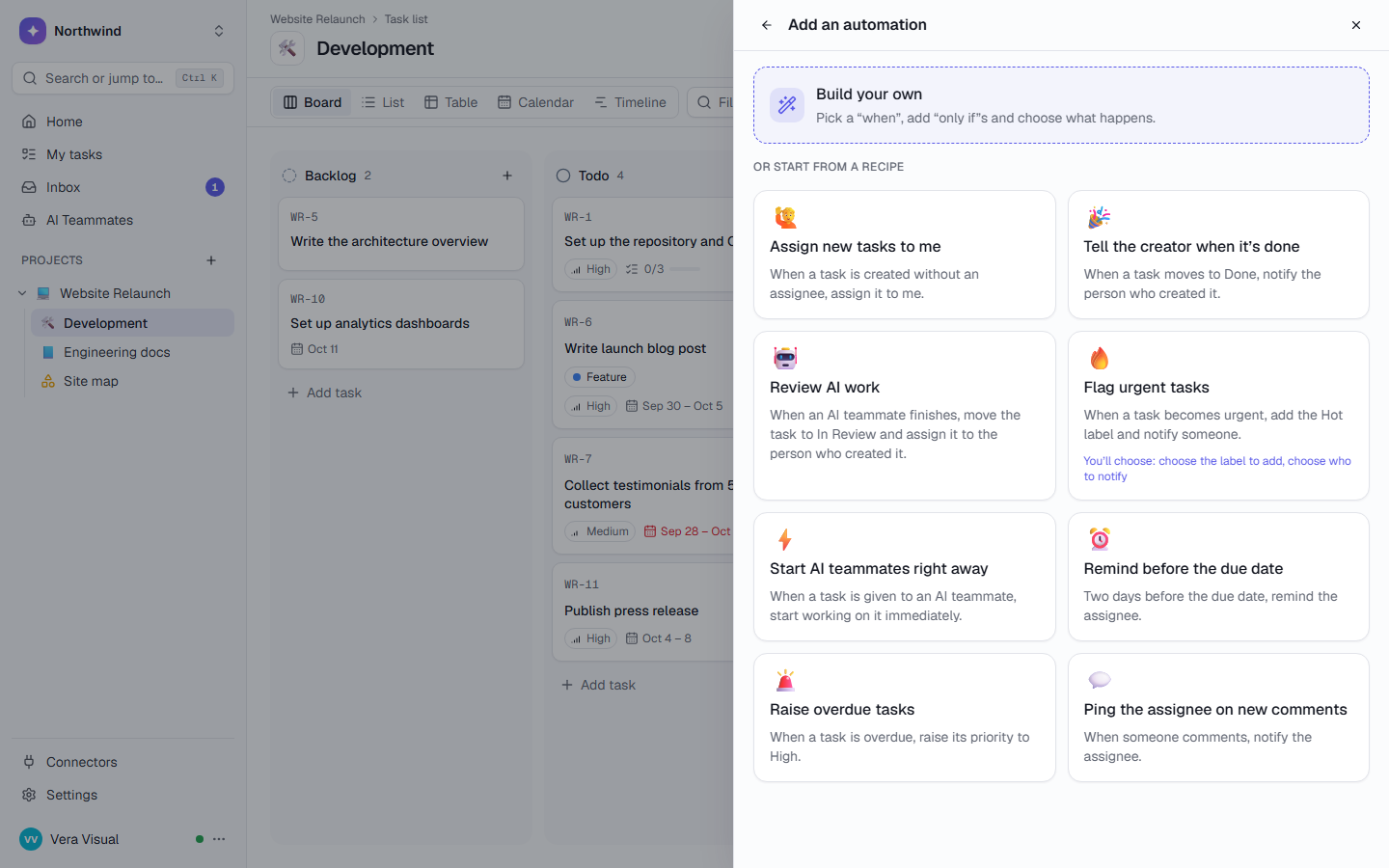
The routine work, on autopilot.
Rules written as sentences, schedules and playbooks take the repeat work off your project managers.
Review AI work
A one-click recipe. The draft lands with the person who asked for it.
The Monday report, emailed
Each person gets a PDF with only the work they can open.
Client kickoff
Start it by hand or from an automation. Owners are told when their step is ready.
A Monday at a 6-person agency.
Rohan owns the agency and Priya runs the projects. They have 15 clients.
Wantsto know which client needs him this week without opening every project.
Kite Studio, before 10 a.m.
- One page, sorted by overdue
Rohan opens All projects and sorts by Overdue. Brightside is on top with 4 overdue tasks, so that is his first call.
- The report sends itself
The “Monday report” dashboard emails Priya, Dev and Sara a PDF of last week, each with only the work they can open.
- A draft to review, not a blank page
The Project Status Writer has drafted “Weekly update — Lotus Cafe”: done, in progress, risks and next week. Priya fixes one line and sends it herself.
- The client looks for herself
Carla at Acme opens the link in Priya’s email: three deliverables grouped by status, with due dates and phase. No comments, no internal costs, no names.
- Feedback that can’t get lost
After the client call, Rohan writes the notes as a comment on “Homepage hero v2” and assigns it to Kabir. It stays on Kabir’s Home until he resolves it.
Every team gets its own space. In the same workspace.
Each list has its own states, labels and fields, and access you choose. The teams below work next to yours, not in another tool.
Software teams
Sprints for the team, a work queue for your coding agents.
- Burn-down and velocity
- MCP: claim_next_task
Sales
A pipeline with deal values that adds itself up.
- Leads handed out in turn
- Lead Researcher
Finance & compliance
Filings on time, month-end close on a schedule.
- Recurring filings
- Document Chaser
Any other team
Start from one of 10 project templates, or describe the work in a few sentences and let AI plan the project.
- Marketing, DevOps, clinics, studios
- 10 kinds of work
Questions, answered
How is TaskCrew different from ClickUp or monday.com for an agency?
AI credits are included in every plan and AI pauses at your limit, so a busy month can’t run up a bill. AI teammates ask before they change anything in another tool. Client logins can sit in an encrypted vault, and you can host TaskCrew yourself. ClickUp and monday.com have far more integrations and longer track records. Read the ClickUp and monday.com comparisons, including where they may fit better.
Do clients need an account?
Not to follow along. A public link shows a list, dashboard or wiki page read-only, with no sign-in, and expires after 7, 30 or 90 days. If a client needs to comment or upload files, invite them as a guest to that one project or list. Guests are free and see only what you share.
Can I see what AI costs per client?
Yes. All projects has an AI spend column for this month, last month, the last 30 or the last 90 days. Only owners and admins see it. Settings → AI usage has the workspace total and a monthly limit.
Can we keep client logins in TaskCrew?
Yes, in a password vault: encrypted with AES-256-GCM, members-only, and every reveal and copy is logged. AI teammates, MCP, search and exports never see it. The Team plan includes a vault with 25 entries, and Business has no limit. See the vault.
Can we track billable hours?
Yes. Log time with a timer or by hand, billable or not. Each project’s managers choose whether new time is billable, and Timesheets shows a week or up to 92 days by project, with CSV. See pricing for what each plan includes; Business is free to try for 14 days.
Bring every client into one place.
Free for up to 5 people. Try Business free for 14 days.