Connect the tools you already use.
29 built-in connectors with one-click sign-in, so AI teammates can work in your other tools, with your approval.
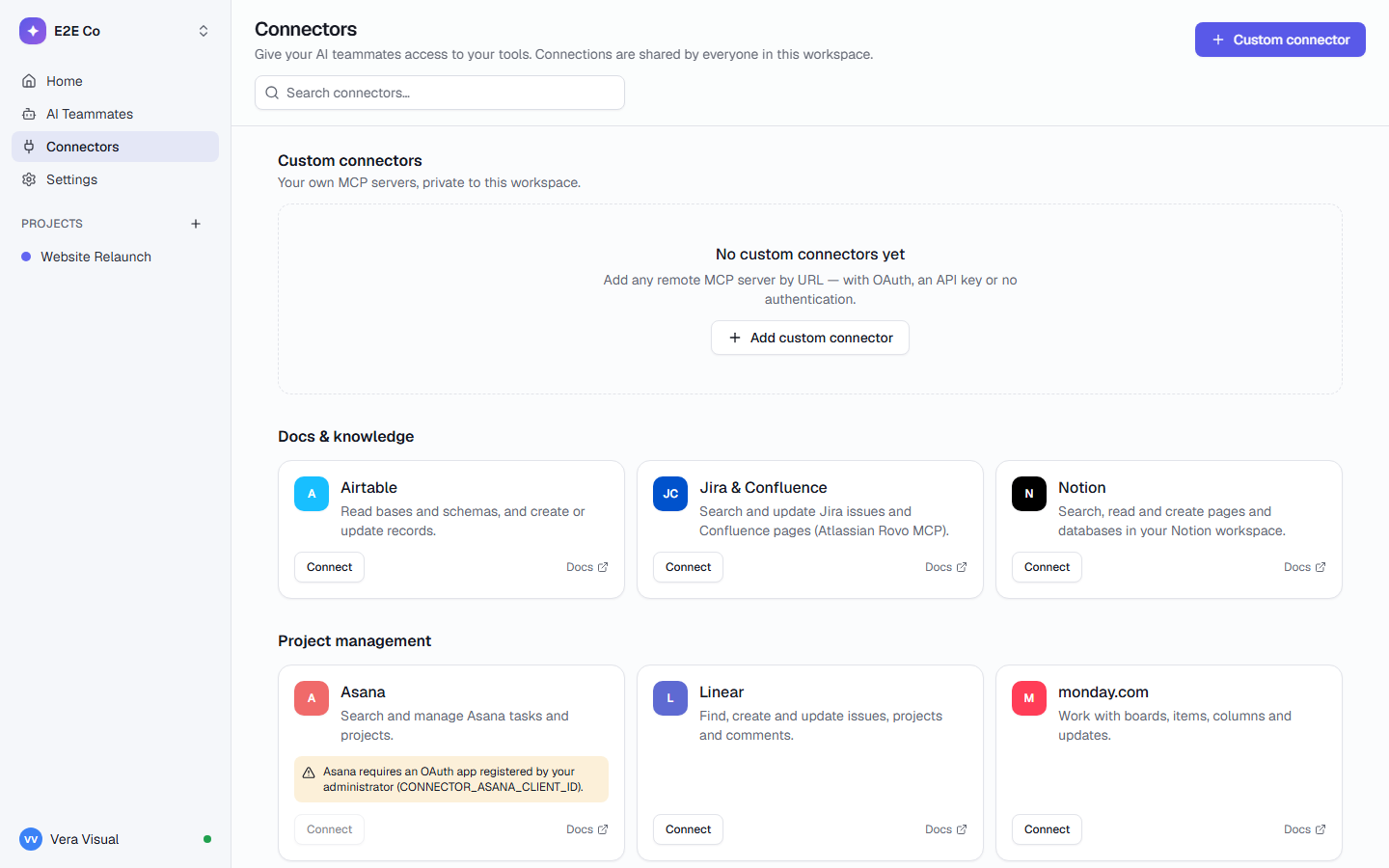
Docs & knowledge · 4
Search, read and create pages and databases in your Notion workspace.
Search and update Jira issues and Confluence pages (Atlassian Rovo MCP).
Read bases and schemas, and create or update records.
Search and read files in Google Drive.
Project management · 3
Find, create and update issues, projects and comments.
Work with boards, items, columns and updates.
Search and manage Asana tasks and projects.
Sales & CRM · 1
Read and update CRM contacts, companies, deals and tickets.
Customer support · 1
Search conversations and contacts, read help articles (US workspaces).
Communication · 4
Search messages and post updates to channels.
Search and read email, and write drafts in Gmail.
See calendars, events and free/busy times.
Read spaces and messages, and post messages in Google Chat.
Marketing & design · 5
Generate, search and export designs.
Manage CMS collections and items, pages and publishing.
Manage Wix sites, stores, bookings and CMS.
Draft and schedule social posts for LinkedIn, Facebook, Instagram and more.
See and manage Facebook and Instagram ad campaigns and their results.
Finance & payments · 4
Look up customers, payments and subscriptions; create invoices.
Invoices, orders, disputes and subscriptions.
Payments, orders, catalog and customers.
Read invoices, receivables, profit and loss and cash position in Xero.
Automation · 1
Run actions across thousands of apps (Gmail, Sheets, Calendar, Outlook…).
Engineering · 5
Repositories, issues, pull requests and Actions.
Search issues and events, get AI root-cause analysis.
Up-to-date, version-specific library documentation.
Ask questions about any public GitHub repository.
Search and read official Microsoft documentation.
Research & web · 1
Search the web and read pages for research. Rate limited.
Custom
Add any remote MCP server by URL, with OAuth, an API key or no sign-in. Private to your workspace.
No built-in connector matches. Any tool with a remote MCP server can still be added as a custom connector.
Preview: Gmail, Google Drive, Google Calendar and Google Chat use Google’s own servers, which are a Developer Preview, and their sign-in hasn’t been verified end to end yet.
Connect once. Approve what matters.
Connect
Click Connect and sign in to the tool. The connection is shared by your workspace, and its secrets are encrypted.
Hand it to a teammate
AI teammate templates say which tools they need. A run checks they are connected before it starts.
Approve the changes
Reading is never blocked. Anything that changes something in the tool can wait for Approve or Reject, with the exact details.
More ways in and out.
Chat notifications
Updates to Slack, Microsoft Teams or Google Chat, through a webhook link each person sets up.
Calendar feeds
Subscribe from Google Calendar, Outlook or Apple Calendar to see your due dates there.
Linked files
Link Google Drive, Docs, Sheets and Slides, OneDrive and SharePoint files to a task, with their app’s icon.
REST API
Personal API tokens for scripts and integrations, confined to one workspace.
MCP server
25 tools, so Claude Code, Cursor or your own agent can take work from a task list.
Importers
Bring work from Jira, Trello, Asana, ClickUp, monday.com or any CSV or Excel sheet.
Add any remote MCP server.
If a tool has a remote MCP server, your AI teammates can use it. For example, Microsoft 365 through an app your IT admin registers.
- Add it by URL, with OAuth, an API key or no sign-in
- Private to your workspace
- Its actions ask first, like any built-in connector
- Its secrets are encrypted and never given to AI teammates
https://mcp.example.com/m365 · OAuth through your own Entra app
https://wiki-mcp.example.com · API key
Examples of what a custom connector looks like. The URLs are placeholders.
Your tools stay yours.
Connector secrets are encrypted at rest and never given to agents. Actions can require approval.
Tokens stay in the runner
AI teammates never see a connector’s token. The runner makes each call for them, outside their sandbox.
Actions ask first
With “Ask before acting” on, each action that changes something waits for Approve or Reject.
Every call logged
Every tool call, with its inputs, results and timing, is written to the audit log.
Connector health
Owners and admins see how often each connector’s calls fail and how slow they are.
Questions about connectors
Who can use a connection?
A connection is shared by everyone in the workspace. AI teammates use it when their work needs that tool, and with “Ask before acting” on, each action that changes something waits for a person to approve it.
What does an AI teammate need before it can use a tool?
Templates list the connectors they need. Before a run starts, TaskCrew checks that each one is connected and signed in, and stops with a clear reason if not, so nothing half-runs.
Can I connect a tool that isn’t listed?
Yes. Add any remote MCP server as a custom connector, for example Microsoft 365 through an app your IT admin registers. Zapier also reaches thousands of apps.
Does it work when we self-host?
Yes. Some built-in connectors sign in through an OAuth app you register on your server (GitHub, Slack, HubSpot, Asana, Xero, and one Google client for Gmail, Drive, Calendar and Chat). See self-hosting.
Bring the whole company into one place.
Free for up to 5 people. Try Business free for 14 days.