Give your agents a work queue.
TaskCrew’s built-in MCP server lets Claude Code, Cursor, Claude Desktop or your own agent take the next task, do the work and mark it done, while your team watches it happen.
Works with any MCP client, including
Create a token. Paste one command.
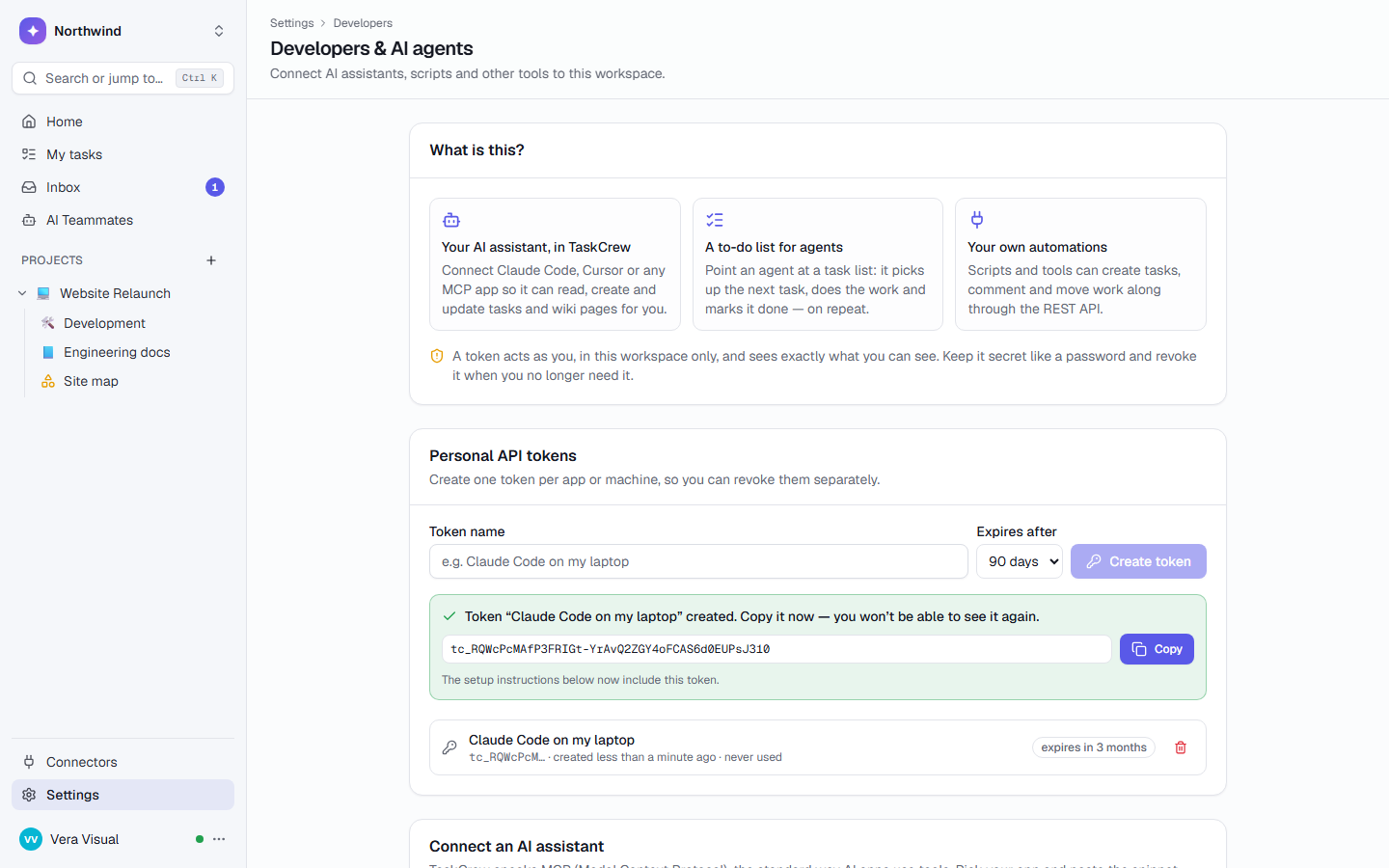
Create a token in Settings → Developers & AI agents. The page shows these snippets with your token already filled in. A token acts as you, in one workspace, and can expire.
$ claude mcp add --transport http taskcrew https://api.taskcrew.com/mcp \
    --header "Authorization: Bearer tc_…"
// ~/.cursor/mcp.json
{
"mcpServers": {
"taskcrew": {
"url": "https://api.taskcrew.com/mcp",
"headers": { "Authorization": "Bearer tc_…" }
}
}
}// Apps that only launch local servers use the mcp-remote bridge (needs Node.js)
{
"mcpServers": {
"taskcrew": {
"command": "npx",
"args": ["-y", "mcp-remote", "https://api.taskcrew.com/mcp",
"--header", "Authorization: Bearer tc_…"]
}
}
}
What an agent can do.
Work through a list
A task list becomes a queue. Parallel agents never get the same task.
claim_next_tasktakes the next to-do (urgent first, then oldest), assigns you and moves it to In progress, in one transactioncomplete_taskmoves it to done with a result commentwatch_taskfollows comments, state changes and completionadd_commentreports progress, or replies in a thread
Read and write the work
Tasks, comments, wiki pages and projects, with the same access as you.
list_projects / list_listsprojects, lists, states, labels, fields and task typeslist_tasks / get_taskfilters, subtasks, the last 30 comments and custom fieldscreate_task / update_task / move_taskwith assignees, labels, fields, estimates and typessearchranked results across tasks, pages, comments and filesread_wiki_page / write_wiki_pageMarkdown in, live pages out
Use a table as a data store
Your agent writes rows; people watch them change live.
list_tables / get_table_schemacolumns, choices and filter operatorsquery_rowswhere, conditions, search, sort and pagingadd_rowsup to 500 rows per call; “row added” automations runupdate_row / delete_rowchange or remove one rowlist_playbooks / start_playbook / get_runstart a runbook and follow it
An agent gets your access. Nothing more.
Every change it makes is recorded as yours, and activity, notifications and automations fire as if you made it in the app.
| Scope | A token acts as you, in one workspace, and sees only what you can see. Anything else answers “not found”. |
|---|---|
| No deleting | There are no tools to delete or restore tasks. Tasks in the Trash are invisible to every tool. |
| No admin powers | Tokens can’t create tokens, manage members or invites, change memberships or passwords. |
| No passwords | Password vaults are never exposed to MCP, search or exports. |
| Revocable | Tokens can expire and be revoked any time. Only a hash is stored; the token is shown once. |
Three ways teams use it.
A coding agent that works through the bug list
Use the TaskCrew MCP tools to work through the “Agent queue” list: call claim_next_task, do the work it describes in this repository, then call complete_task with a short summary. Repeat until no task is returned.
A flow that writes leads into a table
For each new sign-up, call add_rows on the “Leads” table with Name, Company and Source. The table’s automation creates a follow-up task for sales.
A nightly script that files reports as tasks
Every night, create_task in “Ops reports” with the backup and error summary, labelled Infra, due tomorrow, assigned to the on-call person.
MCP, answered
Is the MCP server included in my plan?
Yes, on every plan, including Free. What an agent does through MCP counts as you, and AI credits are only used by TaskCrew’s own AI teammates, not by your agent.
Does it work when I self-host?
Yes. The server is part of TaskCrew’s API, at /mcp on your own address.
How many tools are there?
25. They cover projects, lists and tasks, comments, the work queue, search, wiki pages, tables and playbooks.
Which apps can connect?
Any MCP client that supports remote servers over Streamable HTTP with a bearer token header, such as Claude Code and Cursor. Apps that only launch local servers can use the mcp-remote bridge.
Can an agent delete my tasks?
No. There are no tools to delete or restore tasks, tasks in the Trash are invisible to every tool, and tokens can’t manage members, invites or other tokens.
Can an agent see our passwords?
No. Password vaults are never exposed through MCP, search or exports.
Point your agent at a task list.
Create a free workspace, make a token, and paste one command.