A pipeline your team will actually keep up to date.
Turn every new lead into a call task for the next rep, prepare the intro call with an AI teammate that researches the company, and see revenue won against the quarter’s target without building a report.
The Sales pipeline template’s Deals list with example deals: values, close dates and a Lead Researcher working on a new one.
The pipeline is only as good as Friday’s update.
Three reasons a pipeline goes stale.
Deal values live in a spreadsheet
The board says where a deal is and the spreadsheet says what it’s worth. By Friday they don’t match.
Everyone sees everyone’s board
Reps scroll past the dev board and the finance list to find their deals, and you’d rather they didn’t see either.
Monday starts with admin
Someone hands out new leads, makes the weekly review task by hand and copies won deals into the monthly report.
Your sales workspace, set up in a minute.
Pick Sales pipeline when you create a project. It makes a Deals board with seven stages, a list for calls and follow-ups, and a playbook wiki for the team.
- Add a Leads table and a form on your website that fills it
- Add a Goals item: “Revenue won” counts Deal value where Stage is Won
- Make the project private to the sales team
Source offers Website, Referral, Outbound and Event. Starts with one deal, “Acme Corp — intro call”.
From the first enquiry to the signed deal.
Each step happens where the work is, so the pipeline updates itself.
Leads come in and land with a rep.
A form on your website collects enquiries. Every answer is a row in its Responses table, and can also create a task. An automation turns each new lead into a call task for the next rep, in turn.
- A public link or a secret email address for each form
- Show and hide questions, take file uploads
- A honeypot, a time trap and rate limits instead of a CAPTCHA
| Submitted | Name | Need |
|---|---|---|
| just now | Ana Lima | Landing page… |
| Oct 12 | Raj Patel | Sales deck… |
| Oct 11 | Mira Chen | Case study… |
Every deal with its value, stage and close date.
Drag deals across seven stages from Lead to Won or Lost. Switch to the table and the Deal value column adds itself up for the deals on screen.
- Hot, Inbound and Referral labels, and a Source for every deal
- Lead Researcher prepares the intro call; Sales Follow-up Drafter writes the email after it
- Saved views per rep, stage or close date
| Deal | Stage | Deal value | Close |
|---|---|---|---|
| Hooli — 40 seatsDEAL-9 · Referral | Proposal sent | $31,200 | Oct 28 |
| Initech — annual planDEAL-11 · Outbound | Negotiation | $18,400 | Oct 21 |
| Acme Corp — intro callDEAL-14 · Website | Qualified | $12,000 | Nov 4 |
| Globex — referral from AnaDEAL-19 · Referral | Contacted | $9,500 | Nov 12 |
| Umbrella Labs — 25 seatsDEAL-6 · Event | Won | $22,800 | Oct 2 |
| 5 deals | $93,900 |
Targets that count themselves.
A goal linked to the pipeline counts as deals move: “Deal value where Stage is Won” fills the bar with no one updating it. When a deal is won, an automation logs it and can start the client’s kickoff.
- Counters with +1, money targets and up to 10 key results
- Quarterly goals that reset and keep past quarters as history
- Dashboards from a sentence: “Sum Deal value grouped by stage”
AI teammates for sales.
They do the research and the first drafts. You decide what goes to a prospect or into your CRM.
Research the company. Ask before writing to the CRM.
- Reads the deal, searches the web and checks HubSpot freely
- Writing a note in HubSpot waits for your Approve, with the exact text
- No answer within 30 minutes means no
- The result lands on the deal as a comment and a draft opener
- Lead Researcher started workingAssigned by Sara · Start now
- Checking connectors and preparing toolsExa Web Search · HubSpot
- Lead Researcher wants to create note in HubSpotWaiting for your approval
Researches a prospect company and prepares a tailored outreach angle.
companyWrites a crisp follow-up email after a sales call from your notes.
prospect meeting_notesReviews your HubSpot pipeline and flags stalled deals with next actions.
Assign a task, @mention one in a comment, or run it on a schedule. Each one runs in a sandbox and asks before it changes anything outside TaskCrew. Browse all teammates
Mondays that run themselves.
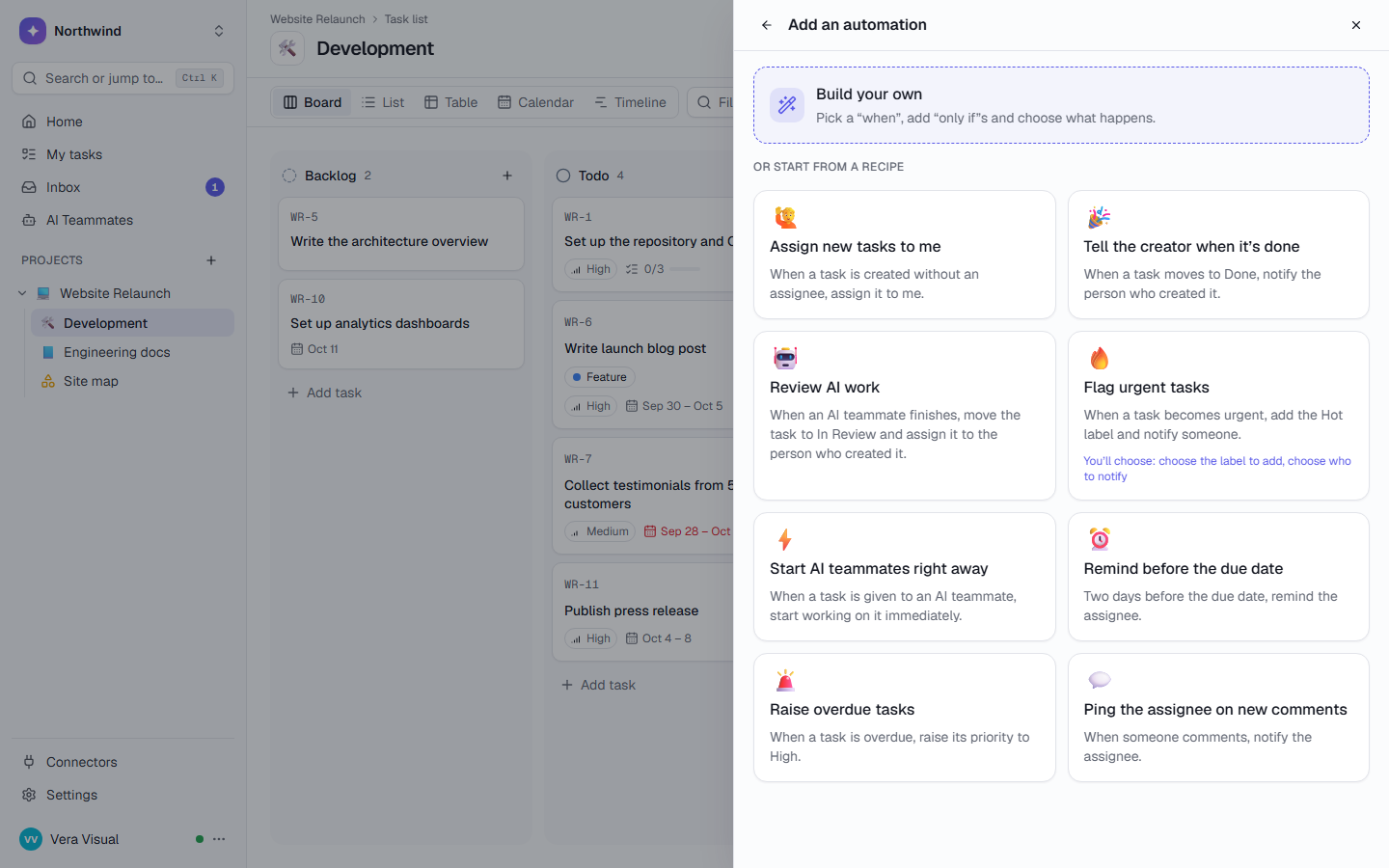
Three rules a sales lead can set up in a few minutes, each written as a sentence in the app.
Leads become calls
Each new lead goes to the next rep, so nobody gets them all.
The weekly review
Runs once per Monday, in your time zone, however busy the week.
Every win, logged
The month’s wins are a table, ready for the report, with no copying.
A week on a 3-person sales team.
Sara leads sales. Ana and Ben are reps. Dev, in the same workspace, never sees any of it.
Wantsa pipeline that’s up to date on Monday without chasing anyone.
From a website enquiry to a won deal
- A lead arrives
Brightwave Foods fills in the contact form. Its answer becomes a row in Leads, and “Call Brightwave Foods” appears in Pipeline for Ana. The next lead goes to Ben.
- The review is ready
“Weekly pipeline review” is already in the list, and the Revenue won goal reads $108,000 of $150,000.
- Research before the call
Ana assigns Acme Corp to the Lead Researcher. It searches the web, checks HubSpot and then asks before adding a note there. Sara approves the exact text.
- The follow-up, drafted
After the call, the Sales Follow-up Drafter writes the email from Ana’s notes. She changes one line and sends it herself.
- A win, logged
Ben moves Initech to Won. A row lands in Wins, and the goal bar moves without anyone touching it.
Every team gets its own space. In the same workspace.
Each list has its own states, labels and fields, and access you choose. The teams below work next to yours, not in another tool.
Agencies & studios
Every client on one page, and clients who follow along by link.
- Client kickoff playbook
- Client Report Writer
Software teams
Sprints for the team, a work queue for your coding agents.
- Burn-down and velocity
- MCP: claim_next_task
Finance & compliance
Filings on time, month-end close on a schedule.
- Recurring filings
- Document Chaser
Any other team
Start from one of 10 project templates, or describe the work in a few sentences and let AI plan the project.
- Marketing, DevOps, clinics, studios
- 10 kinds of work
Questions, answered
How is TaskCrew different from monday.com CRM or HubSpot?
TaskCrew isn’t a dedicated CRM. monday.com has a mature CRM product, and HubSpot is a CRM many teams already use. TaskCrew keeps the pipeline next to the rest of the company’s work: the client project after the deal, the finance list, the wiki. It also connects to HubSpot, so a Lead Researcher can read it and, with your approval, add notes. TaskCrew vs monday.com.
Can I keep reps out of other teams’ lists, and other teams out of the pipeline?
Yes. Any list can be restricted to specific people. Someone who can’t open it doesn’t see it anywhere: not in the sidebar, the project page, search or My tasks. Managers always see everything in their project.
Can the pipeline add up deal values?
Yes. Deal value is a money field. The table view shows a footer with totals for the deals on screen, a parent task adds up its subtasks, dashboards sum a field per stage or person, and a goal can count “Deal value where Stage is Won”.
Will the Lead Researcher write to our CRM without asking?
No. With “Ask before acting” on (the default for new teammates), every action that changes something in HubSpot waits for a person who can edit the task. They see the exact arguments, which can’t be edited. Reading is never blocked. How AI control works.
Can leads come straight from our website?
Yes. A form has a public link you can put on your site, and a secret email address. Every answer is a row in its Responses table, an automation can make a task for the next rep, and respondents are free, like guests.
Give your pipeline a place it stays up to date.
Free for up to 5 people. Try Business free for 14 days.