Docs your team writes together, next to the work.
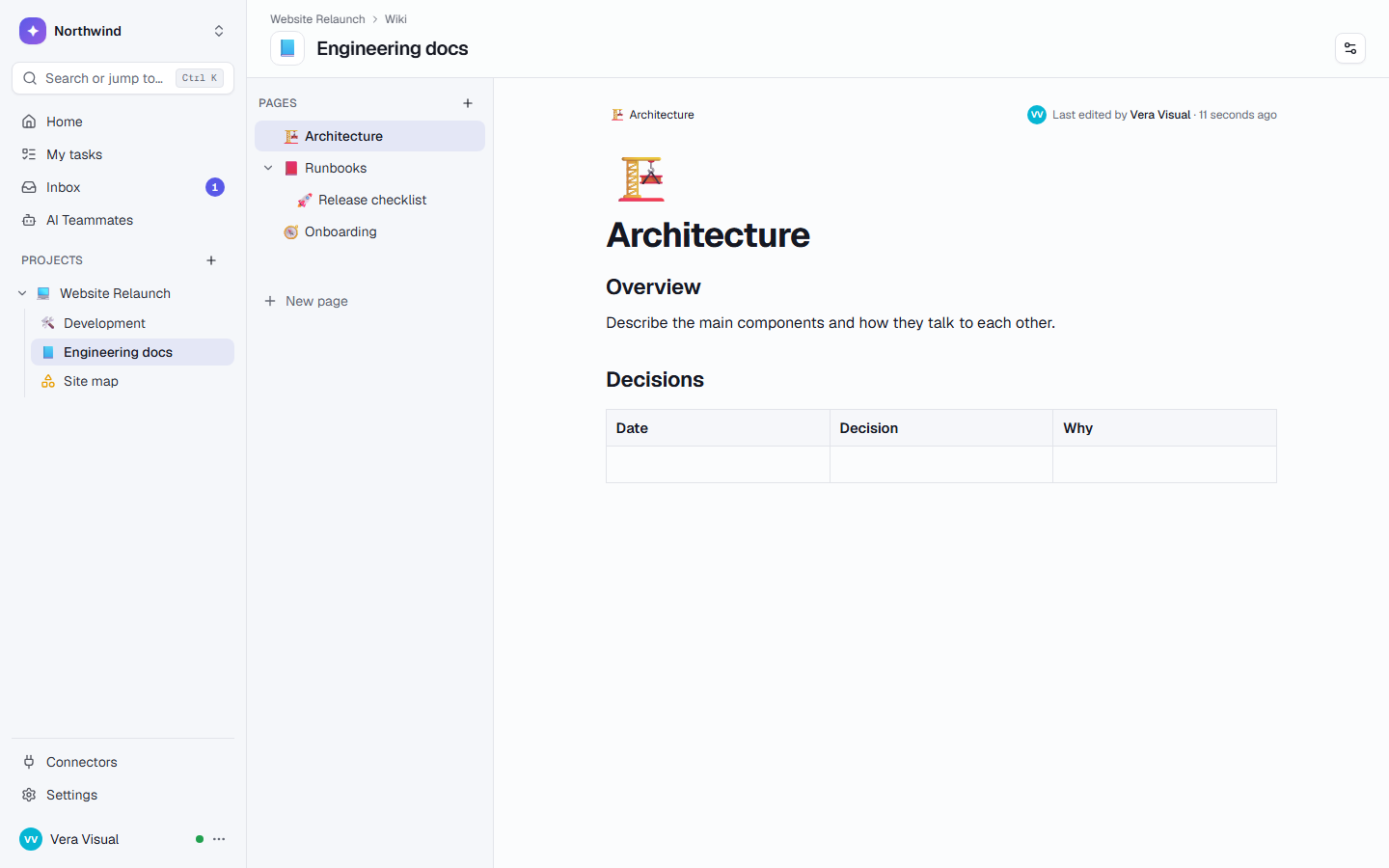
A team wiki with live co-editing, nested pages and notes. Meeting notes turn into tasks in one step, and pages show live task lists, tables and dashboards.
Docs in one app, work in another.
Without TaskCrew
- Meeting notes sit in a doc nobody opens again
- Action items get copied by hand into the task tool
- Links to tasks go stale, and nobody knows what links to a page
- A client needs an account to read one page
With TaskCrew
- Notes live in the same project as the work
- Select the action items and press Create tasks
- [[ links show live cards, and every page lists where it’s mentioned
- Share a page read-only by link, and let the link expire
Write together, live.
Everyone on a page sees edits and cursors as they happen, and nobody has to lock it. Type / for headings, to-do lists, tables, code, images and embeds.
- Pages inside pages, in a tree you drag to reorder
- 7 page templates, from meeting notes to a decision log
- Notes: quick capture cards that open in the same editor
First week for new developers
Welcome! Work through this list with your buddyPriya, and ask in #dev-help when you get stuck.
/You
Meeting notes that become tasks.
Select the action items in a meeting note and press Create tasks (Ctrl+Shift+Enter). Each line becomes a task in any list, with one person and a due date for all.
- Each line keeps a live chip with its task’s status
- Templates for meeting notes and client meetings
- Nobody copies a follow-up by hand again
Pages that show the real work.
Embed a task list, a table or a dashboard and it stays live. Type [[ to link a task, page, note, record, list or file, and every page shows where it’s mentioned.
- Embeds show only to people who can open them
- “Mentioned in” and Connections, as a graph or a list
- Search finds pages and the words inside attached files
The hero swap is tracked in CW-34Swap the hero image, due Friday.
Brand rules are in [[acmeYou
Mentioned in 3 places: 2 tasks and the Acme mood board.
The rest of a good wiki.
7 page templates: meeting notes, client meeting, creative brief, SOP, policy, how-to guide and decision log
Public read-only pages for a knowledge base, with links that expire after 7, 30 or 90 days
Notes: Keep-style cards with quick capture, pins and colours
Ranked search across pages, tasks, comments and the words inside files
Export a page to Markdown, HTML, PDF or Word, with its subpages
Restrict a wiki to specific people, or keep pages in your private My space
Pictures pasted into pages are kept in the project’s Files & media
Whiteboards with sticky notes, shapes and live tasks on them
Pages kept as Markdown too, so search and AI teammates can read them
AI that helps you write, when you ask.
Select text and ask AI to improve it, shorten it, fix it, change its tone, translate it or explain it. Type /ai on an empty line to draft from a prompt, or chat with the page.
- Nothing reaches the page until you accept it
- Summarize a long page, or ask it questions
- AI teammates read and write wiki pages as part of a task
- Ask your workspace answers from your docs, using only what the person asking can open
Before every release, make sure that all of the tests have been run and are passing, and that someone other than the author has looked over the changelog.
Nothing reaches the page until you accept it.
AI teammates that fit this page
Turns long notes, transcripts or documents into a crisp summary with decisions and next steps.
source_textWrites clear step-by-step help articles from product facts or a recurring question.
topicAnswers questions from “Ask your workspace”: what is overdue, what changed, who is on what — with the tasks it found. Read-only.
Drafts or updates internal documentation pages in Notion.
topicA page is never cut off from the work.
Tasks
Create tasks from lines, link tasks with [[, and embed a live task list or one of its saved views.
Tables and dashboards
Embed a table or a dashboard in a page. The numbers stay current.
Whiteboards
Put wiki pages and live tasks on a canvas, next to sticky notes, for planning or a mood board.
Files & media
Pictures in pages live in the project’s library, with “Used in” links back to each page.
One workspace. Everything connects.
Docs follow the same access rules as the rest of the project.
Questions, answered
Is it like Notion?
For a team wiki, much of it will feel familiar: nested pages, slash commands, tables, checklists and live co-editing. The difference is that pages sit next to your tasks, tables and dashboards: meeting notes become tasks in one step, and embeds show the live work. If part of your docs stays in Notion, the Notion Wiki Writer teammate can draft pages there.
Can clients read a page without an account?
Yes. A manager can share a wiki page, with the pages inside it, read-only by link. The link expires after 7, 30 or 90 days or when you revoke it, is never indexed, and shows people as “Person 1” unless you turn names on. For more than reading, invite the client as a guest to just that wiki.
Can several people edit the same page at once?
Yes. Everyone on the page sees each other’s cursors and edits live, and changes merge as you type.
Are docs free?
Yes. Wikis and notes are in every plan, including Free for up to 5 people. Inline AI uses the AI credits your plan includes, 500 a month on Free. See pricing.
Can I export my pages?
Yes. Export a page as Markdown, HTML, PDF or Word, with or without its subpages. Anyone who can read a page can export it.
Write it down where the work happens.
Free for up to 5 people. Try Business free for 14 days.