AI teammates that do real work, and ask before they act.
Assign them tasks, @mention them in comments, put them on a schedule. Each one works in a sealed sandbox, shows every step, and waits for your OK before touching your other tools.
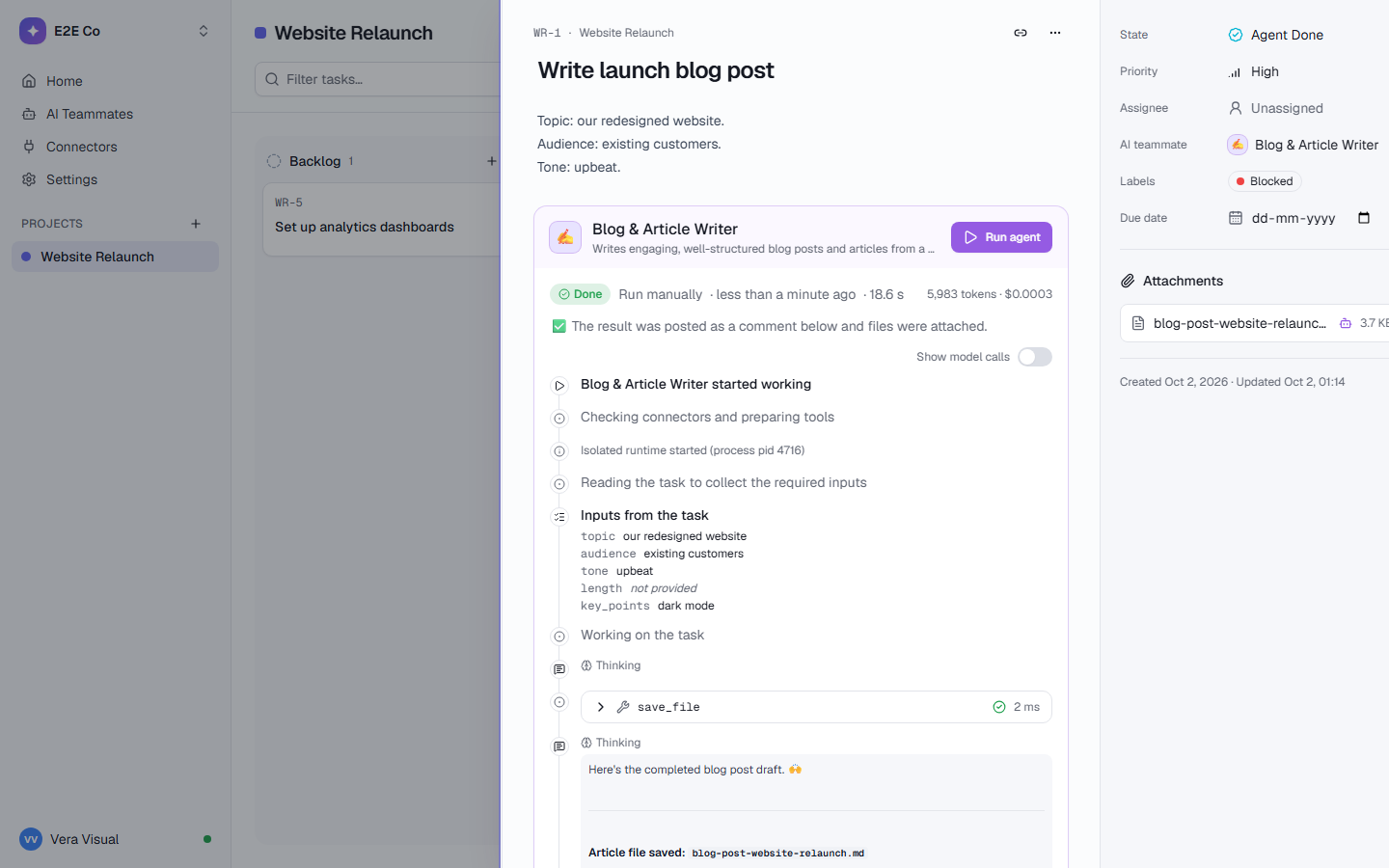
A role, the inputs it needs, and the tools it may use.
Start from one of the templates, or describe what you need to the agent builder and it designs one for you.
A role
What it does and how it works, written as instructions: “Draft a weekly status update from what happened in the project.”
The inputs it needs
Declared fields it reads from the task, like topic, audience or period. A missing required input stops the run and says exactly what to add.
The tools it may use
Workspace tools (tasks, comments, wiki pages, search) plus the connectors you allow, each read-only or asking first.
Or just describe it.
“Every week, summarize our Linear issues into a status report.” The agent builder asks a few questions, checks which tools it can use, and builds the teammate. You can fine-tune everything later.
- Definitions are versioned
- Every run keeps an exact snapshot of the definition it used
- Hand it to your team in one click
Delegate the way that fits the work.
An @mention in a comment is the instruction. A teammate @mentioned in a thread answers in that thread.
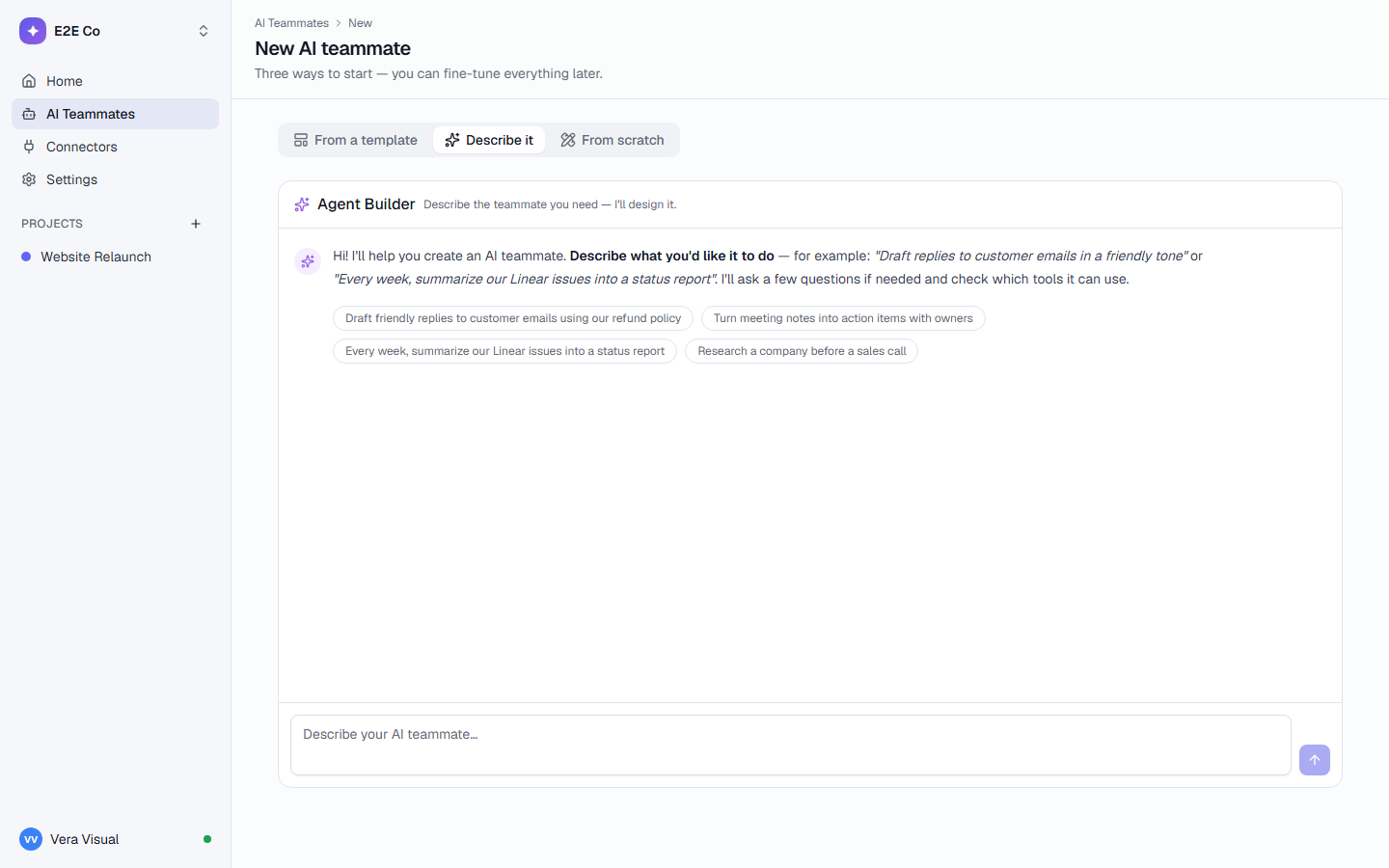
Every step, live, on the task.
What it read, which tools it called, how long each took and how many tokens it used. Cost is shown to owners and admins only.
- Lead Researcher started workingAssigned by Sara · Start now
- Checking connectors and preparing toolsExa Web Search · HubSpot
- Lead Researcher wants to create note in HubSpotWaiting for your approval
A lead teammate can hand out the parts.
It splits the work into subtasks and assigns each to the right teammate. Results flow back to the parent task. How deep and how wide it can go is limited, so nothing runs away.
Hire one in a click.
Writes a client-ready weekly or monthly report from your tasks and the numbers you add, with internal notes kept apart.
client periodTurns a client brief into 4-12 clear subtasks with checklists, priorities and due dates, plus questions for the client.
briefResearches a prospect company and prepares a tailored outreach angle.
companyDrafts empathetic, accurate replies to customer messages.
customer_messageMatches invoices to payments or bank lines and lists what is matched, unmatched, partly paid or duplicated, with a CSV to check.
invoices paymentsInvestigates a Sentry issue, proposes a root cause and fix, and optionally files a Linear ticket.
issueWrites inclusive, compelling job descriptions.
role_titleDrafts a project’s weekly status update from what happened in TaskCrew: done, in progress, risks and next week. A person reviews and sends it.
projectReading is free. Acting waits for a person.
Asks first
Each action in Slack, HubSpot, Gmail and other connected tools waits for Approve or Reject, with the exact details.
Sandboxed
Every run gets its own sealed container: no network, no secrets, a read-only file system.
Spend limit
Set a monthly limit. At the limit AI pauses until you raise it or the month ends. No surprise bill.
Every step logged
Every tool call, with its inputs, results and timing, is written to the audit log by the runner, not the AI.
Sees what you share
Ask your workspace answers only from what the person asking can open.
Never sees passwords
Password vaults are invisible to AI teammates, MCP, search and exports.
AI where you already work.
Ask your workspace
Ask “what’s overdue for Acme?” and get the tasks that answer it, using only what you can open. It never changes anything. 20 questions per person per hour.
Describe your project
A few sentences in, a planned project out: lists, workflow, fields, starter tasks, recurring work, a wiki, a playbook and suggested teammates. Untick what you don’t need.
Status reports
The Project Status Writer drafts Headline · Done · In progress · Risks · Next week on a schedule. A person reviews it; nothing is sent to a client.
The Assistant
Ctrl/Cmd + J opens an Assistant beside any page. It knows where you are and helps from there.
Teammates can work in your other tools.
Connect once with OAuth. Tokens stay encrypted on the server, and teammates never see them. Add any remote MCP server as a custom connector.
Credits included in every plan
From 500 a month on Free to 1,800 per person on Business, pooled for the workspace.
AI pauses at your limit
Never surprise overage. Runs under way finish; new ones wait for the 1st.
Spend you can see
By teammate, project, person and month, with alerts at 80% and 100%.
Questions, answered
Which model do teammates use?
Every AI teammate, the agent builder and Describe your project use deepseek/deepseek-v4-flash through OpenRouter. By default, requests only go to model providers that don’t keep or train on prompts.
Can a teammate send emails or post on my behalf?
Only through a connector you have connected, and with “Ask before acting” on (the default for new teammates), every action that changes something outside TaskCrew waits for a person to approve it, with the exact arguments shown. Reading is never blocked.
What can’t teammates see?
Password vaults, other people’s My space, and anything the person who started the run can’t open. Their sandbox has no network and no secrets: the keys stay with the runner.
What happens if a run fails?
The task moves to Agent Failed with the reason in plain words (for example, a connector that needs signing in again) and what to fix. Retry starts it again. A run is never repeated silently, because a tool call may already have done something.
Do AI teammates count as seats?
No. AI teammates are free. Plans differ only in how many you can have: 2 on Free, 10 on Team, unlimited on Business and Enterprise.
Can I write my own teammate?
Yes. Describe it in the agent builder chat, or start from a template and change its role, inputs, tools and connectors. Definitions are versioned, and every run keeps an exact snapshot of the version it used.
Give your first task to an AI teammate today.
Free for up to 5 people, with 500 AI credits a month and 2 AI teammates.