Never miss a filing again.
Monthly filings appear on the 1st with the right due date and owner. Month-end close starts itself on the first business day. And when the auditor asks who changed what, the answer is one click away.
An example compliance board: monthly filings that repeat, a Document Chaser at work on the September close and variance notes waiting for review.
Deadlines that live in someone’s head.
Three ways a month in finance goes wrong.
Filings tracked from memory
GSTR-1 on the 10th, TDS on the 7th, payroll on the 28th. It works until the person who remembers is on leave.
Month-end close, done differently each time
Someone works out the first working day around weekends and festivals, then types the month into every step by hand.
Chasing documents on WhatsApp
Every season the team chases bank statements, invoices and forms by email and chat, and nobody knows what’s still missing.
Your finance workspace, set up in a minute.
Pick Finance & compliance when you create a project. Its calendar makes every monthly filing by itself, and the handbook keeps the checklist next to the work.
- Add the Month-end close playbook and run it on a schedule
- Add a Payroll list only you can open
- Add a password vault for bank and tax portal logins, hidden from AI
Every month, created ahead of the due date. Opens in the calendar view. Rename the filings for your country.
The month, on rails.
Filings a year ahead, a close that runs in the right order, and a record of every change.
Every filing, a year ahead, in your own calendar.
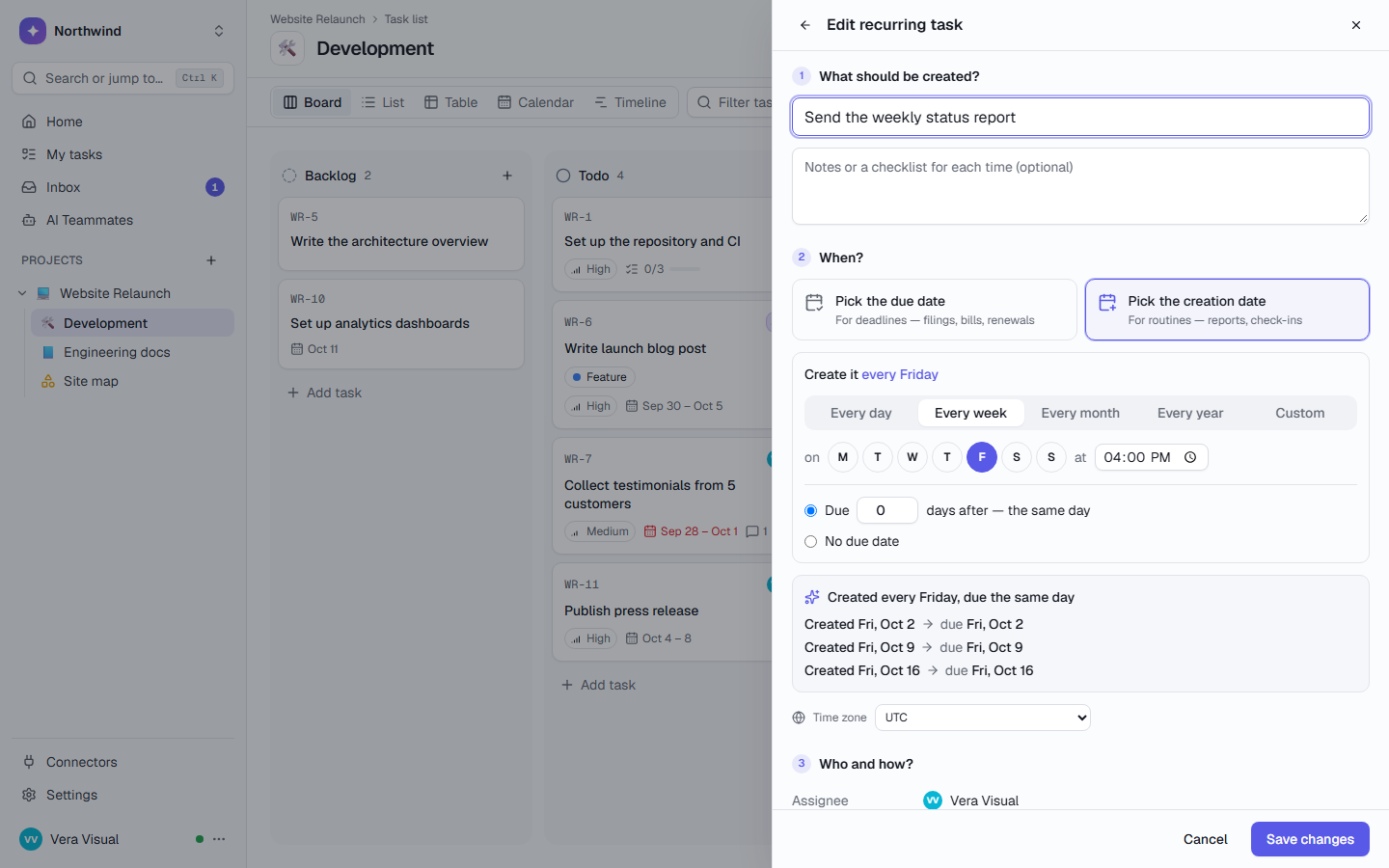
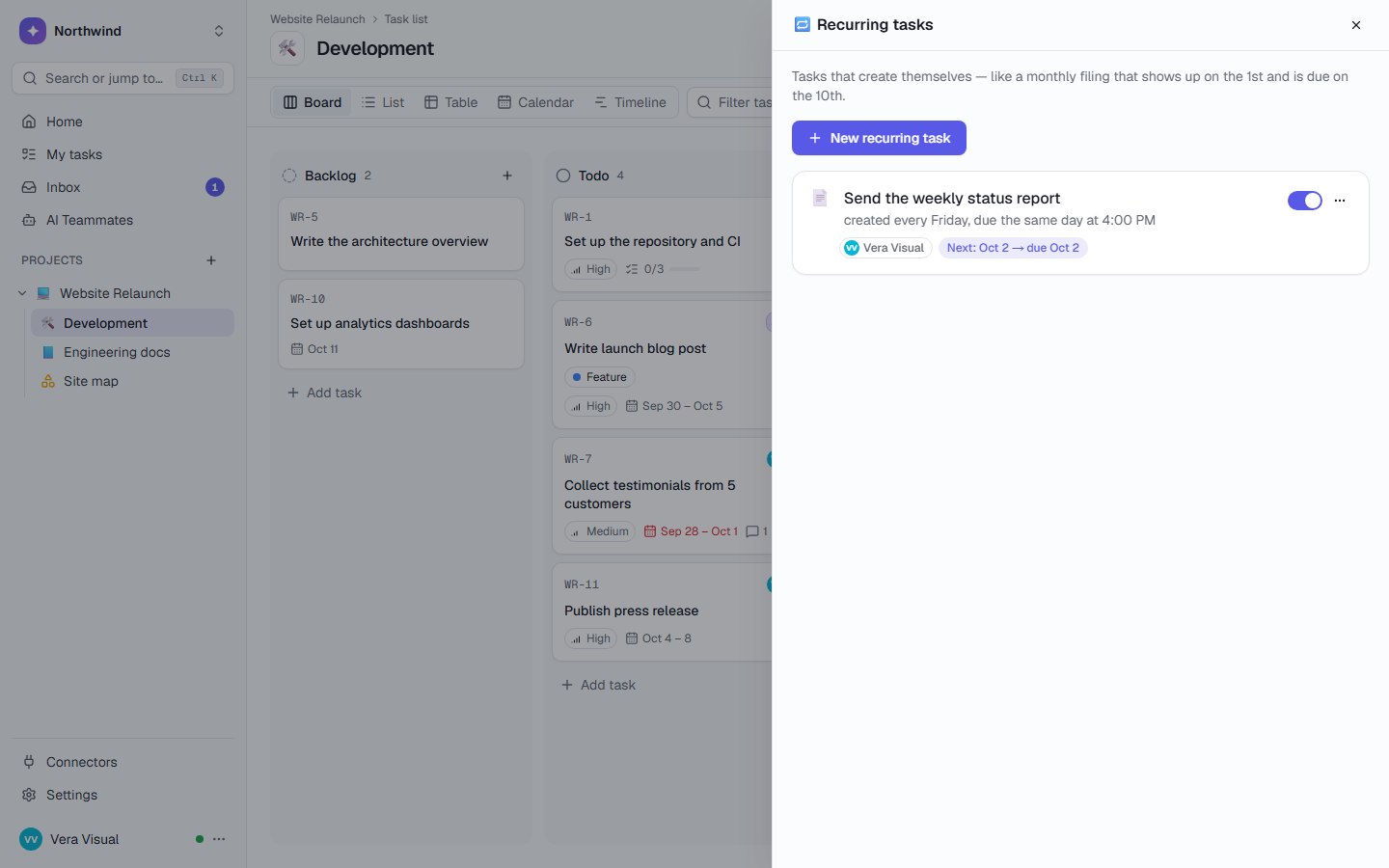
Describe a filing once: “File GSTR-1: created on the 1st, due on the 10th of every month”. The Calendar shows the tasks that exist and, dashed, the ones the rules will make, months ahead.
- By due date for deadlines, by creation date for routines
- An assignee and an optional AI teammate on every rule
- Subscribe from Google Calendar, Outlook or Apple Calendar with a secret link
Month-end close runs itself.
Schedule the Month-end close playbook for the 1st business day of every month at 9:00. It skips weekends and your holidays, names itself after the month it closes, and gives each step to the right person.
- Roles filled per run: Accountant and Reviewer
- Steps due in business days; review waits for the reconciliations
- Conditional steps: the quarterly summary only when it’s a quarter end
- If someone leaves, their steps go to the schedule’s owner, who is told
Collect
- Collect all invoices and receipts for September 2026 Accountant · Ravi
- Record payroll for September 2026 Accountant · Ravi
Reconcile
- Reconcile bank accounts Accountant · Ravi
- Reconcile receivables and payables Accountant · Ravi
Review & report
- Review the trial balanceWaits for the reconciliations Reviewer · Priya
- Share the monthly reportWaits for “Review the trial balance” Owner
Who changed this? It’s written down.
Every change to a task reads as a plain sentence: who, when, and old → new. Owners and admins get a workspace audit log with filters and CSV, and project managers can download the whole project as an evidence pack.
- Approval tasks: Approve, Request changes or Reject, with the decision in the history
- Deleted tasks go to Trash with Undo; only managers delete for good
- SAML SSO and SCIM on Enterprise; access review for owners and admins
AI teammates for finance.
The finance pack does the matching, sorting and chasing. A person checks the CSV and approves anything that leaves TaskCrew.
Chase the missing documents. Ask before posting.
- Starts by itself on the 1st business day, from a schedule
- Checks what is still missing for the close
- Posting the reminder in Slack waits for your Approve
- Password vaults are invisible to every AI teammate
- Document Chaser started workingStarted by a schedule · 1st business day, 09:00
- Checking connectors and preparing toolsSlack
- Document Chaser wants to post message in SlackWaiting for your approval
Matches invoices to payments or bank lines and lists what is matched, unmatched, partly paid or duplicated, with a CSV to check.
invoices paymentsSorts bank or card expenses into categories with a reason for each, totals that add up and a CSV ready to import into a table.
expensesExplains budget-versus-actual differences line by line in plain words, with questions for budget owners.
figures periodTracks which documents are still missing for month-end or a filing and drafts polite reminders, firmer each time.
documents_neededBuilds a revenue summary (MRR, new, churn, failed payments) from Stripe.
periodCreates and sends draft invoices in Stripe from a task.
customer line_itemsAssign a task, @mention one in a comment, or run it on a schedule. Each one runs in a sandbox and asks before it changes anything outside TaskCrew. Browse all teammates
Deadlines that take care of themselves.
Recurring rules, a scheduled playbook and reminders, each written in plain words.
The monthly filing
Assigned automatically, and planned months ahead on the calendar.
The close
Add a holiday and the next run moves by itself.
The reminder
A one-click recipe. Reminders also arrive by email, chat or push if people choose.
The first week of October at a small food company.
Fatima is the founder and keeps the books. Ravi is her outside accountant; Priya reviews.
Wantsnever to miss a GST or TDS filing, and a close that runs the same way every month.
Closing September, filing October
- The filings appear
GSTR-1, TDS and the bank reconciliation are in the Compliance calendar with their due dates. GSTR-1 and TDS are assigned to Fatima.
- The close starts itself
Oct 1 is a holiday in her workspace, so “Month-end close — September 2026” starts on the next working day. September is a quarter end, so the quarterly GST summary step she added is included.
- The chasing starts
Document Chaser finds 4 of 11 documents missing and drafts a Slack reminder to the owners. Fatima approves the exact text before it’s posted.
- Matched, with a CSV to check
Invoice Reconciliation matches invoices to bank lines and lists what’s unmatched, partly paid or duplicated. Ravi checks the CSV and finishes the reconciliation.
- Review, in order
“Review the trial balance” was locked until both reconciliations were done. Now Priya picks it up from My tasks.
Every team gets its own space. In the same workspace.
Each list has its own states, labels and fields, and access you choose. The teams below work next to yours, not in another tool.
Agencies & studios
Every client on one page, and clients who follow along by link.
- Client kickoff playbook
- Client Report Writer
Software teams
Sprints for the team, a work queue for your coding agents.
- Burn-down and velocity
- MCP: claim_next_task
Sales
A pipeline with deal values that adds itself up.
- Leads handed out in turn
- Lead Researcher
Any other team
Start from one of 10 project templates, or describe the work in a few sentences and let AI plan the project.
- Marketing, DevOps, clinics, studios
- 10 kinds of work
Questions, answered
How is TaskCrew different from a spreadsheet or a general task tool?
A spreadsheet doesn’t create next month’s filing, assign it or remind anyone. TaskCrew does all three, runs the close as a playbook on business days, and records who changed what. It also has a password vault for portal logins, AI teammates that ask before acting, and you can host it yourself. Coming from Asana? The importer takes its CSV export. How importing works.
Does it work outside India?
Yes. The template’s filings are examples: rename them for your country (VAT return, payroll tax, annual accounts) or add your own rules. Working days and holidays are set per workspace, so business days match your calendar.
Can AI teammates see our bank and tax portal passwords?
No. Password vaults are encrypted with AES-256-GCM, and AI teammates, MCP, search and exports never see them. Every reveal and copy is logged, and people re-confirm their password before revealing one.
Can I show an auditor who changed what?
Yes. Every task has a full history in plain sentences. Owners and admins get a workspace audit log with filters and CSV, and project managers can download an evidence pack (ZIP) of every task with its details, comments, history and files.
Can our outside accountant work in TaskCrew?
Yes. Invite them as a member, or as a guest to one project or list with View, Comment or Edit. Guests are free and see only what you share: no other projects, people directory, chat or AI teammates.
Put every filing on rails.
Free for up to 5 people. Try Business free for 14 days.